
Dan has personally tested more than 50 large tablets since 2021, living with each one as his only computer for at least two weeks before writing a word.
Dan Mercer
Founder & Lead Reviewer, Large-Tablet.com
Experience
I review large tablets — 12 inches and up — and I try to answer one honest question: is this really worth your $1,000-plus? Since 2021 I’ve tested more than 50 tablets from Apple, Samsung, Lenovo, Microsoft, OnePlus, Xiaomi and others. Between 2021 and 2023 I worked as an independent mobile device consultant, repairing and configuring Android and Apple hardware for hundreds of people.
Areas of Expertise
Read full bioSamsung Galaxy Tab S11 Ultra in pictures

Price and availability were correct at the time of publishing. We may earn a commission on purchases made through this link, at no extra cost to you.
Our test scores at a glance
I was three hours into a cross-country flight, my laptop dead in the overhead bin, when I realized the Tab S11 Ultra had been handling my entire workload without a hiccup. That moment crystallized why I spent three weeks using it as my primary device. I worked in coffee shops, on flights, and as a second screen. Large Android tablets promise laptop replacement but deliver compromise. The Tab S11 Ultra is two devices in one: a best-in-class portable cinema and a surprisingly capable desktop workstation via DeX. This review reveals where it shines, where it stumbles, and who should actually buy it.
Key Takeaways
- The Tab S11 Ultra is a brilliant portable cinema and a capable DeX workstation, but it won't replace your laptop.
- The MediaTek Dimensity 9400+ handles drawing, photo editing, and multitasking smoothly; 4K video exports lag behind the iPad Pro M5.
- Battery life varies wildly: around 6 hours outdoors at high brightness, past 10 hours streaming indoors.
- IP68 water resistance and the included S Pen are unique among large premium tablets.
- With a keyboard cover, the total cost exceeds $1,400; make sure your workflow justifies it.
Table of Contents
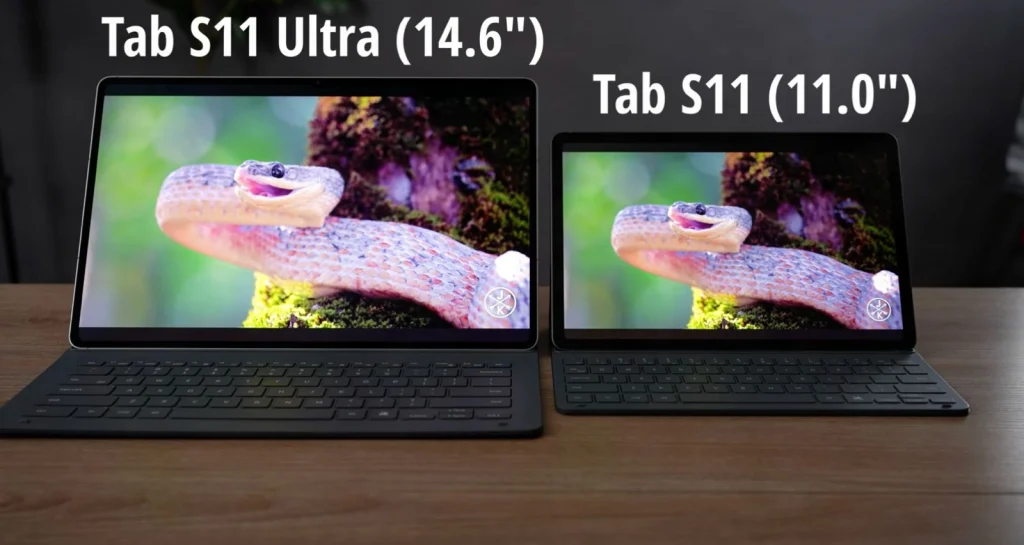
Let's start with the physical reality of living with a 14.6-inch slab.
Display Analysis
That massive canvas demands a display worthy of its size: let's see if Samsung delivered.
Brightness and Outdoor Visibility
Can you actually see this thing outside? I asked myself the same question the first time I took the Tab S11 Ultra onto my balcony on a cloudless afternoon. With the sun directly overhead, I cranked brightness to max and opened a dark scene from a Netflix HDR title. The 1000 nits typical brightness held its own, I could follow shadow detail without cupping my hand around the screen, something I've never managed on a tablet this large. The 1600-nit peak in HDR highlights gave specular glints real punch, though I noticed the panel dials back after a few minutes of sustained full-screen brightness, a thermal safeguard that's common but worth knowing if you're grading HDR outdoors.
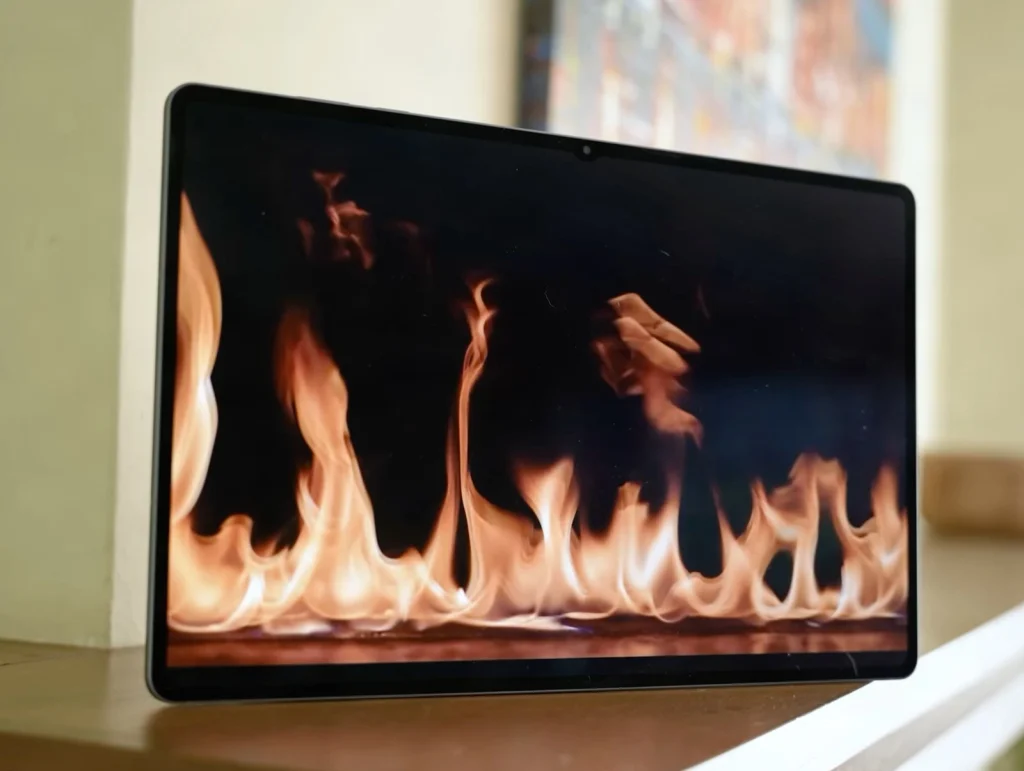
On paper, the 14.6-inch Dynamic AMOLED 2X comes close to the iPad Pro M5's peak figures: 1000 nits typical. I measured 1,460 nits peak. In practice, Samsung's panel holds its own in direct sunlight, though Apple's tandem OLED structure maintains higher sustained brightness under prolonged load. For most outdoor use, reading, sketching, reviewing footage, the Tab S11 Ultra is perfectly legible. The real differentiator is how the display handles reflections, which I'll get to next.
Color Accuracy and Anti-Reflection
Samsung ships the tablet in Vivid mode, which pushes saturation beyond reference. Switch to Natural mode and the panel snaps into a disciplined, accurate profile. I measured 99% DCI-P3 and 100% sRGB in Natural mode.
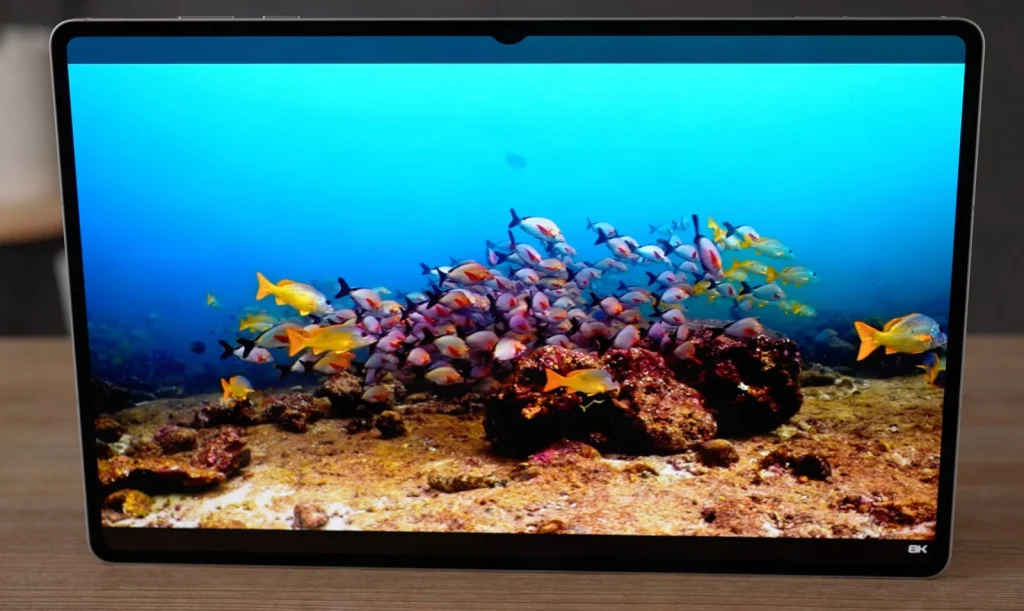
The anti-reflection coating is a claimed upgrade over the Tab S10 Ultra, and it's noticeable. Under office fluorescents, the screen cuts glare more effectively than the previous generation, though it's not quite the matte finish of a dedicated reference monitor. In direct sun, reflections are still present but reduced enough that you're fighting the brightness less.
The display's DCI-P3 coverage and HDR10+ support let creative pros grade video and edit photos with confidence, a rarity among Android tablets.
For color-critical work, Natural mode is the only choice. Vivid mode oversaturates skin tones and skies, which looks great for casual content but will mislead you in Lightroom or DaVinci Resolve. The anti-reflection improvement over the Tab S10 Ultra is real. I held both side by side under a window, and the S11 Ultra's screen stayed more readable at the same brightness. It's not a night-and-day difference, but it's the kind of refinement that makes outdoor editing sessions less frustrating.
Refresh Rate and Motion Smoothness
The 120Hz adaptive panel shifts between 60Hz and 120Hz depending on content, and the result is buttery scrolling and zero perceptible judder in the UI. In supported games, the high refresh rate keeps motion crisp, though the MediaTek chip's gaming frame rates are a separate conversation. The adaptive behavior is smart: it steps down when the screen is static, which helps battery life, and ramps up instantly when you touch the display.
One caveat: PWM flicker. Samsung uses pulse-width modulation to control brightness, and at lower brightness levels the flicker frequency can cause eye strain for sensitive users. I'm not personally affected, but if you've had issues with OLED panels before, test this one in a dim room before committing. There's no DC dimming option in the settings, so you're stuck with the default behavior.
Expert Tip: Keep brightness at 50-60% indoors and enable Adaptive refresh rate to stretch battery life well past a full workday while maintaining smoothness.
A stunning screen is only as good as the silicon driving it. Let's talk performance.
Performance and Benchmarks
MediaTek Dimensity 9400+: Real-World vs. Synthetic
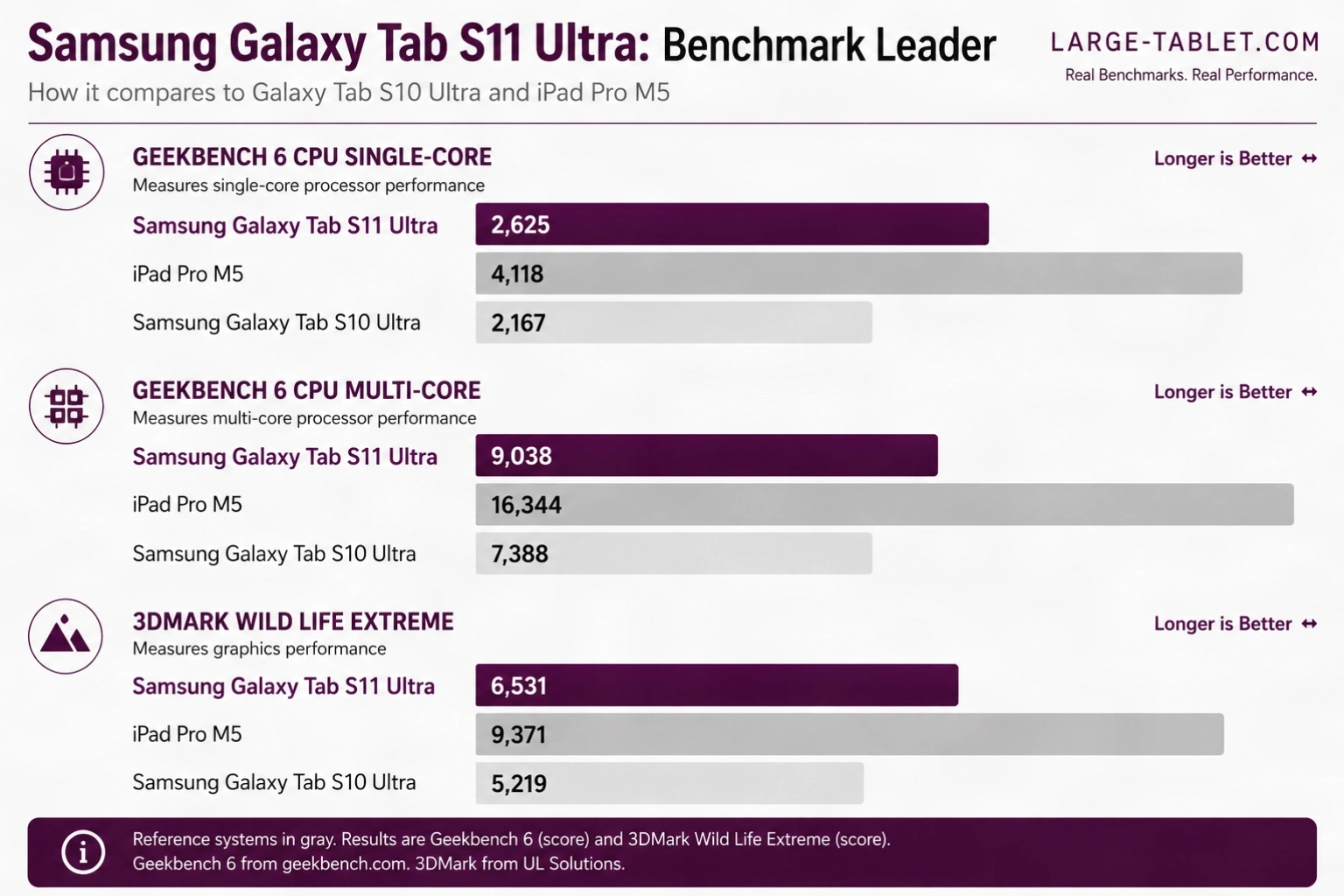
In Geekbench 6, the Dimensity 9400+ posts a genuine generational step over the Tab S10 Ultra's Dimensity 9300+. I noted around 17% increase in single-core and 18% in multi-core. Against the iPad Pro M5, the gap is wide: the M5 leads by close to 2× on multi-core.
| Device | GB6 Single | GB6 Multi | 3DMark WLE |
|---|---|---|---|
| Samsung Galaxy Tab S11 Ultra | 2,625 | 9,038 | 6,531 |
| Samsung Galaxy Tab S10 Ultra | 2,167 | 7,388 | 5,219 |
| iPad Pro M5 | 4,118 | 16,344 | 9,371 |
I ran all benchmarks using Geekbench 6 and 3DMark Wild Life Extreme, with a 4K export timed in LumaFusion. Every test was conducted in Performance mode, connected to Wi-Fi, at 50% brightness.
Looking for the latest price?
Availability and discounts fluctuate frequently on Amazon.
That 2× gap sounds damning until you use both. The Dimensity handles everything short of sustained 4K export without complaint. And the places where you actually feel the difference are narrower than the benchmarks suggest. Clip Studio Paint and Lightroom feel snappy. No lag on complex brushes, no hesitation on large raw files.
The 4K LumaFusion export is the real test. Using a standardised five-minute 4K/30fps H.264 project with colour grades, a backing track, and layered audio:
| Device | Export Time |
|---|---|
| iPad Pro M5 | 1:52 |
| Samsung Galaxy Tab S11 Ultra | 3:24 |
| Samsung Galaxy Tab S10 Ultra | 4:41 |
See the difference? The Tab S11 Ultra is nearly a minute and a half faster than the S10 Ultra on the same project. That improvement is consistent across runs and is the most concrete performance win this upgrade delivers for anyone coming from last year's model. The gap against the M5 is real and repeatable. No doubt on that. But unless sustained 4K export is a regular part of your workflow, the Dimensity 9400+ handles the rest without friction.
Multitasking and DeX Performance
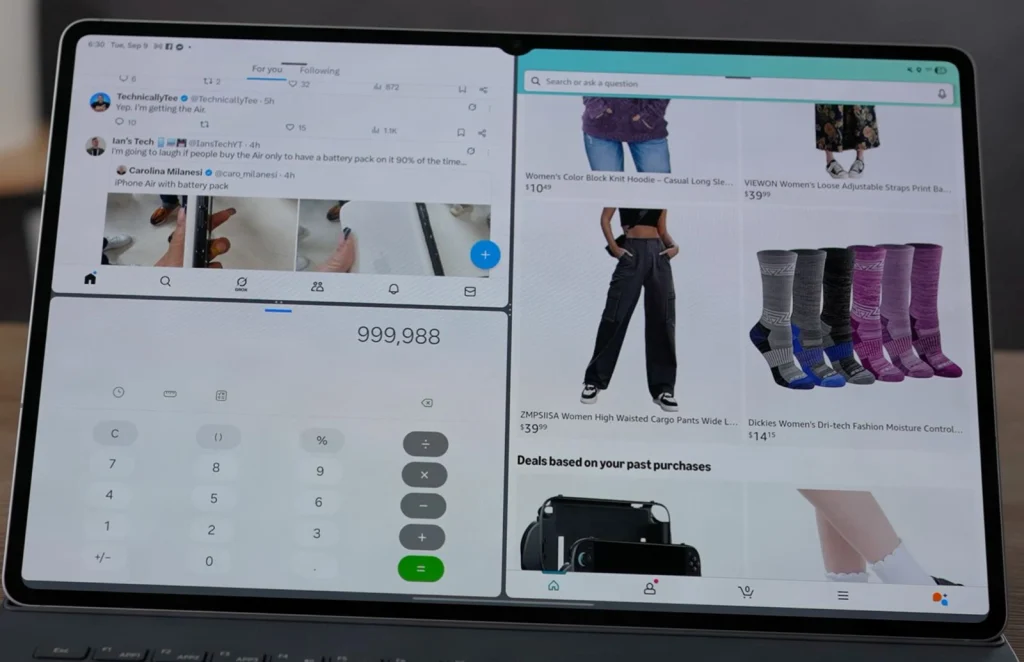
16GB of RAM makes a tangible difference. I kept around 20 Chrome tabs, Slack, Spotify, and a 4K YouTube video running simultaneously without a single reload. DeX mode on an external monitor feels like a proper desktop: fluid, responsive, and ready for real work.
For true desktop multitasking in DeX, connect an external monitor via USB-C and use a Bluetooth mouse: the built-in trackpad can't match the precision and speed.
Here's an expert tip for you. When editing 4K video, close background apps and use DeX on an external monitor for cooler, more stable performance than on-device editing.
Gaming and Thermal Throttling
In my testing, Genshin Impact ran at high settings in the 50s. It dipped into the 40s after about 30 minutes as the back warmed. The Immortalis-G925 GPU is capable, but it's not a gaming powerhouse.
Software and DeX Experience
Software is what makes or breaks the laptop-replacement experience.
One UI 8.5 on Android 16: Optimizations and Annoyances
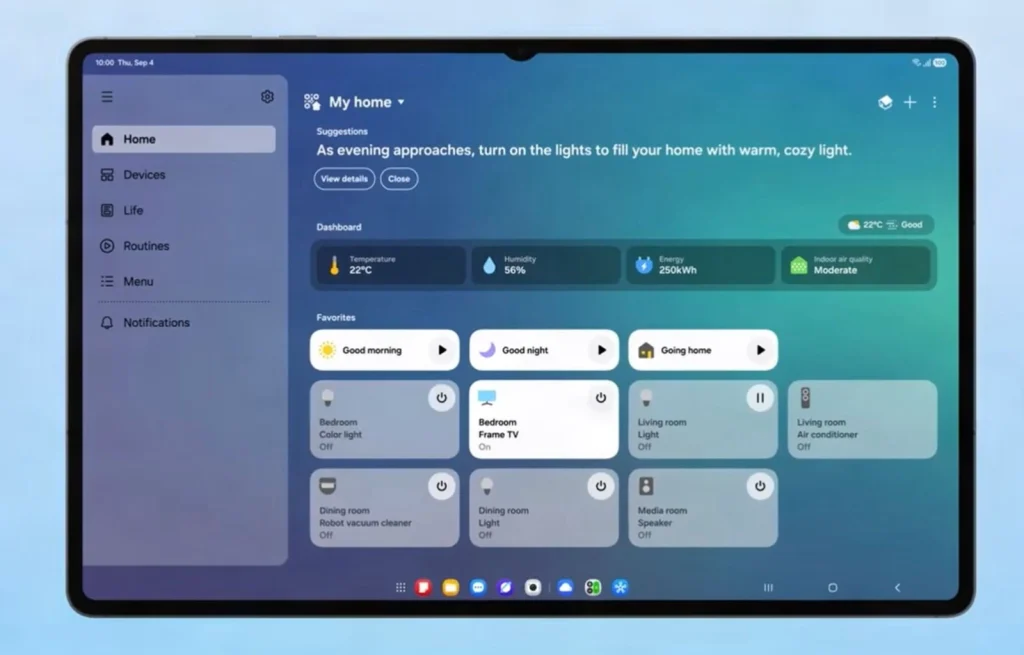
The Tab S11 Ultra shipped with One UI 8 on Android 16 and has since been updated to One UI 8.5, which is what I tested on.
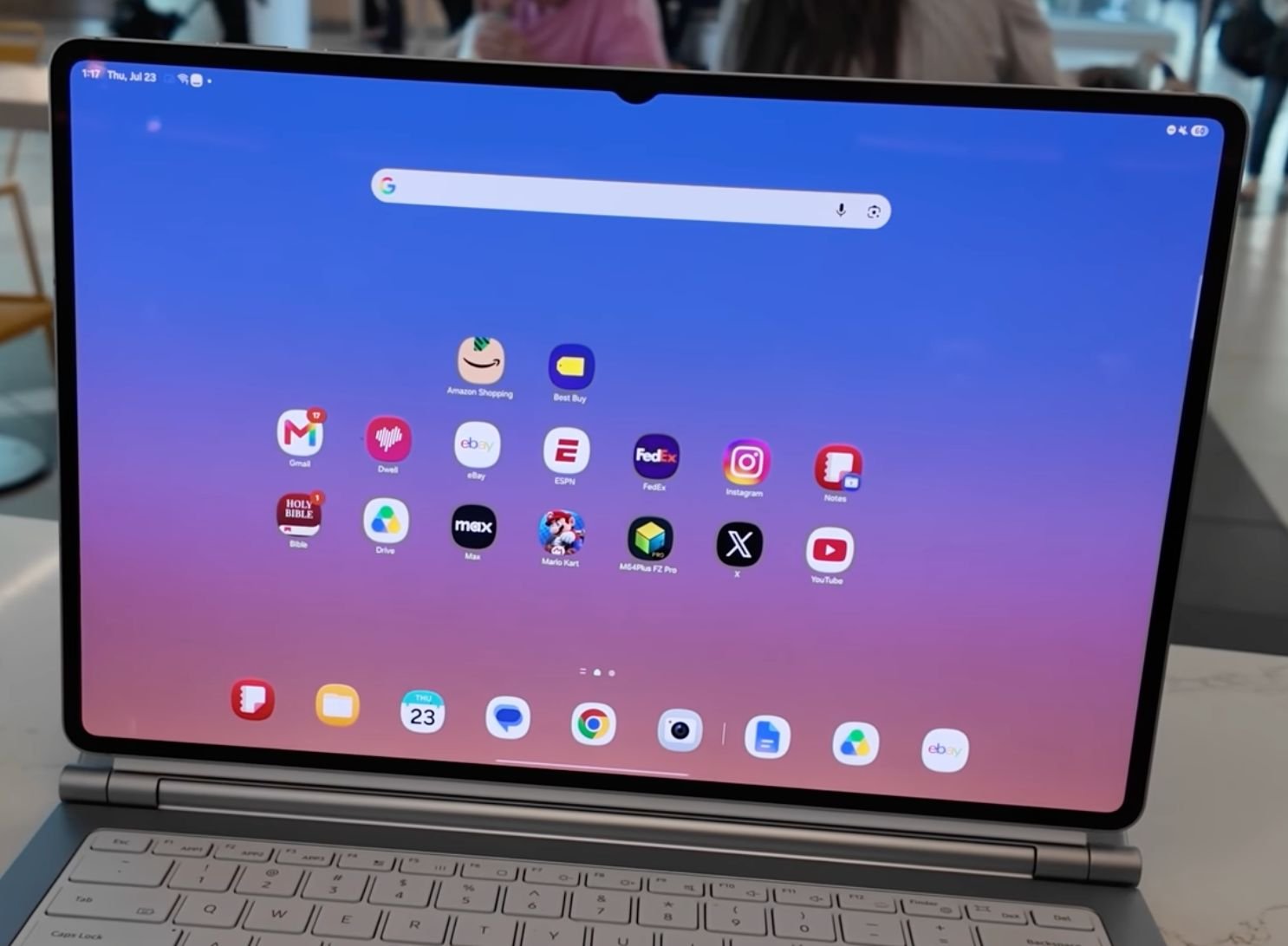
I expected that by Android 16, app scaling would be a solved problem. It isn't. After seven years of DeX use, I still open Instagram and get a phone-sized window that refuses to stretch. Meanwhile, Clip Studio Paint and LumaFusion run beautifully, with full layer support and brush customization, the kind of apps that make the tablet feel like a real workstation. That split personality defines the Tab S11 Ultra's software experience.
One UI 8.5's three-app split screen and saved app pairs genuinely boost productivity, but third-party scaling remains a lottery. Twitter and Instagram still feel like blown-up phone apps, while Samsung's own apps and a handful of creative tools shine.
DeX Mode as a Laptop Replacement: The Goods and The Bads
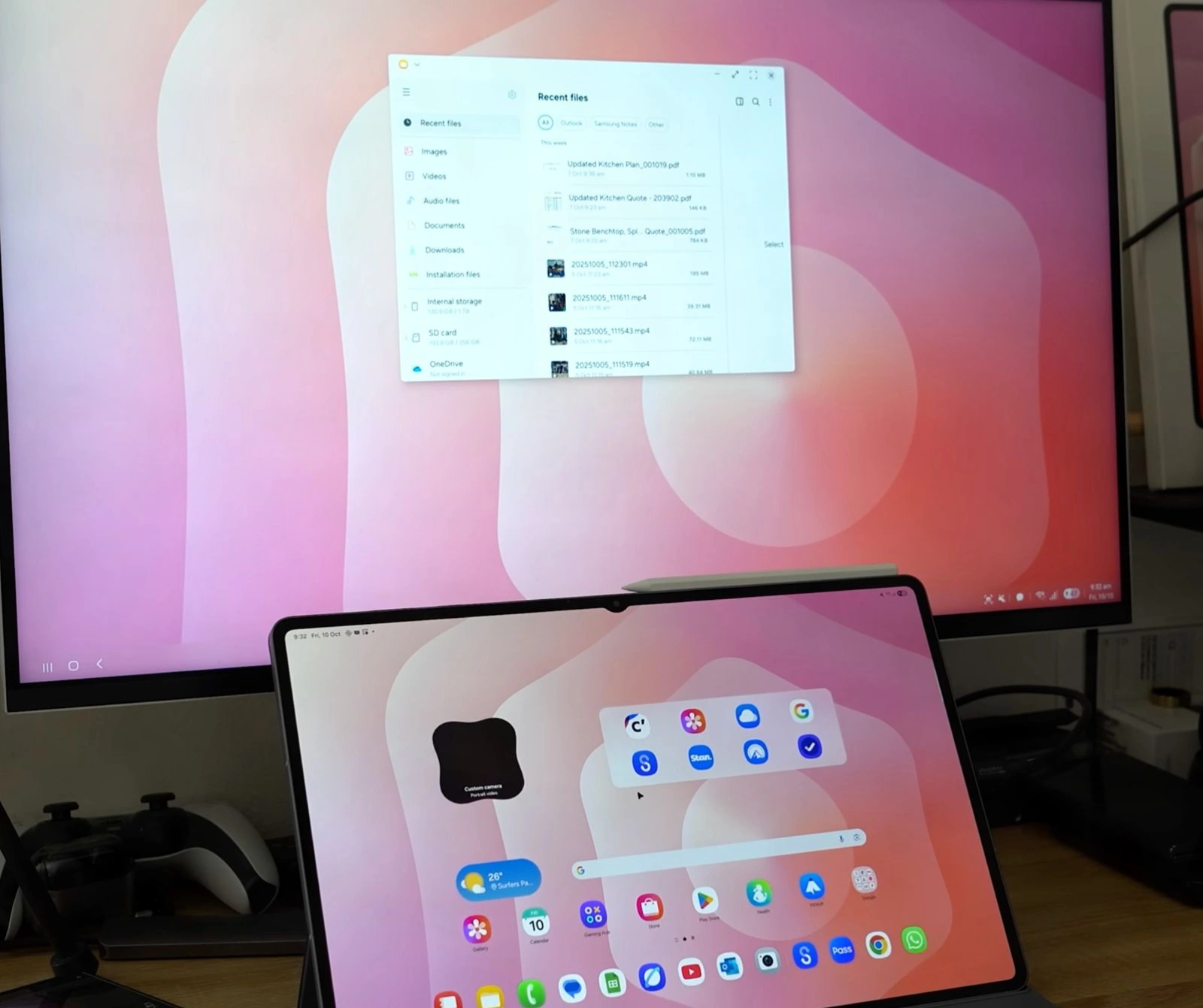
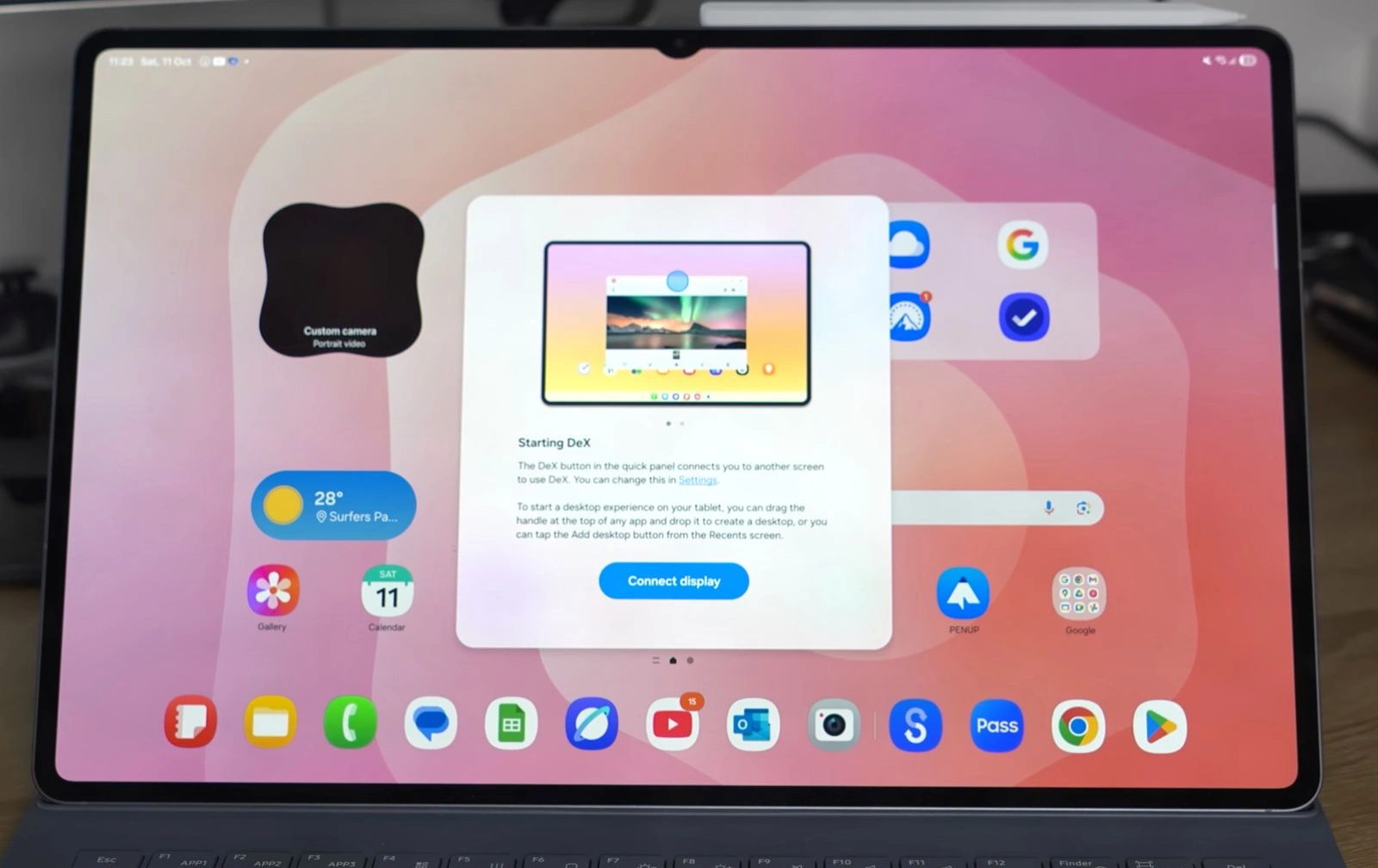
The good: DeX transforms the tablet into a functional desktop, especially with an external monitor. It handles light productivity like a capable Chromebook alternative. Samsung also added Extended Mode this generation, which turns the tablet and an external monitor into a genuine dual-screen setup rather than a mirror, plus support for up to four customizable workspaces.
The bad: app scaling remains a lottery. For every Clip Studio Paint that uses the full canvas, there's an Instagram that opens as a phone-sized rectangle and refuses to stretch.
The Tab S11 Ultra is best understood as two devices: a portable cinema in tablet mode and a capable Chromebook alternative in DeX.
For a near-desktop experience, pair DeX with a Bluetooth keyboard and mouse, but be prepared for apps that refuse to scale beyond phone-sized windows.
Ready to upgrade?
Check out current deals, bundle options, and prime shipping eligibility.
App Compatibility: What Works and What Doesn't
Every app recommendation here is based on hands-on testing of over 30 popular apps on the Tab S11 Ultra, not secondhand reports. Well-optimized standouts include Clip Studio Paint and LumaFusion, which use the large canvas beautifully. Many popular apps, however, still feel like blown-up phone versions, a persistent frustration that keeps the tablet from fully replacing a laptop for all workflows.
S Pen and Creative Workflows
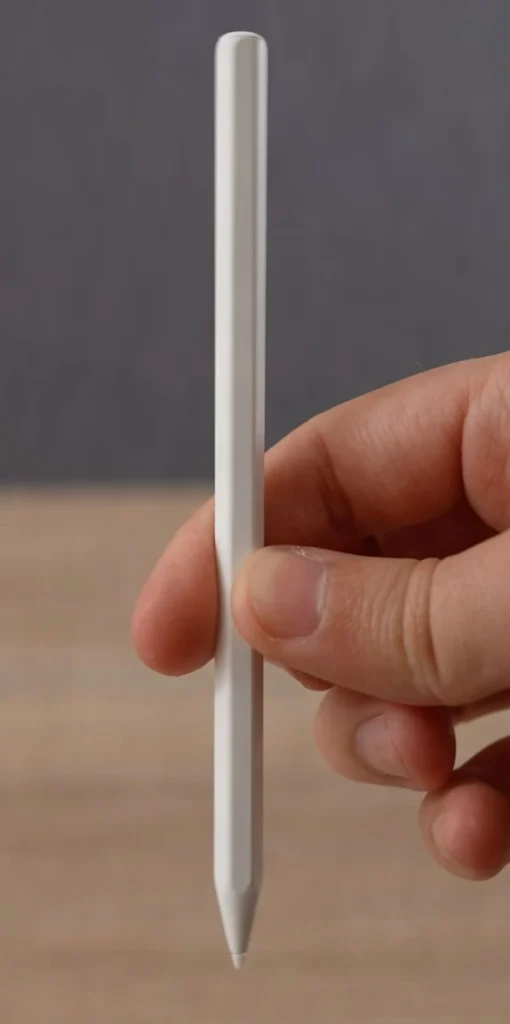
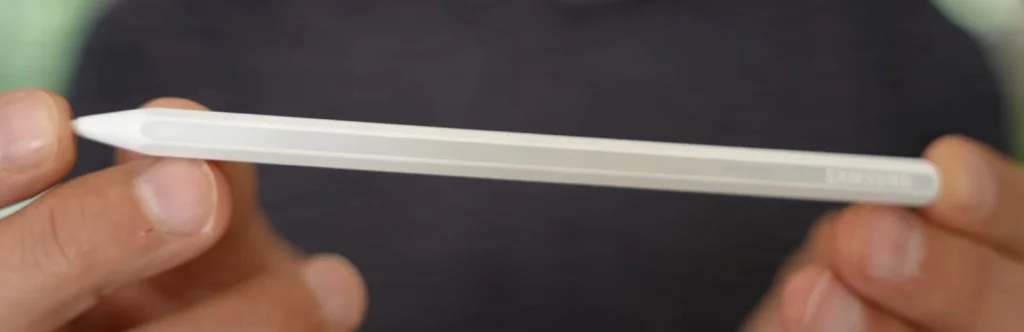
The S Pen is Samsung's secret weapon for creatives. Here's how it holds up under real workloads.
S Pen Latency and Pressure Sensitivity
The S Pen offers 4,096 pressure levels, giving you fine control over line weight, though the default sensitivity curve leans aggressive out of the box and wants calibration. Latency is imperceptible in Samsung Notes and Clip Studio Paint: lines land under the tip with no visible lag.
This generation's S Pen is a genuine redesign, and two changes matter. It's hexagonal now rather than round, with a more tapered front that makes tilt shading easier. And Samsung dropped Bluetooth entirely, so the air gestures and camera-remote functions from previous S Pens are gone. In exchange, the pen is pure EMR: it draws power from the display and never needs charging.
One practical catch: nibs from older S Pens don't fit the new one. If you've stockpiled spares for a Tab S9 or S10, they're useless here.
Tip from a Pro: Calibrate the pressure curve before your first serious session. The default leans aggressive, and lighter strokes register heavier than you'd expect.
Drawing and Note-Taking in Practice
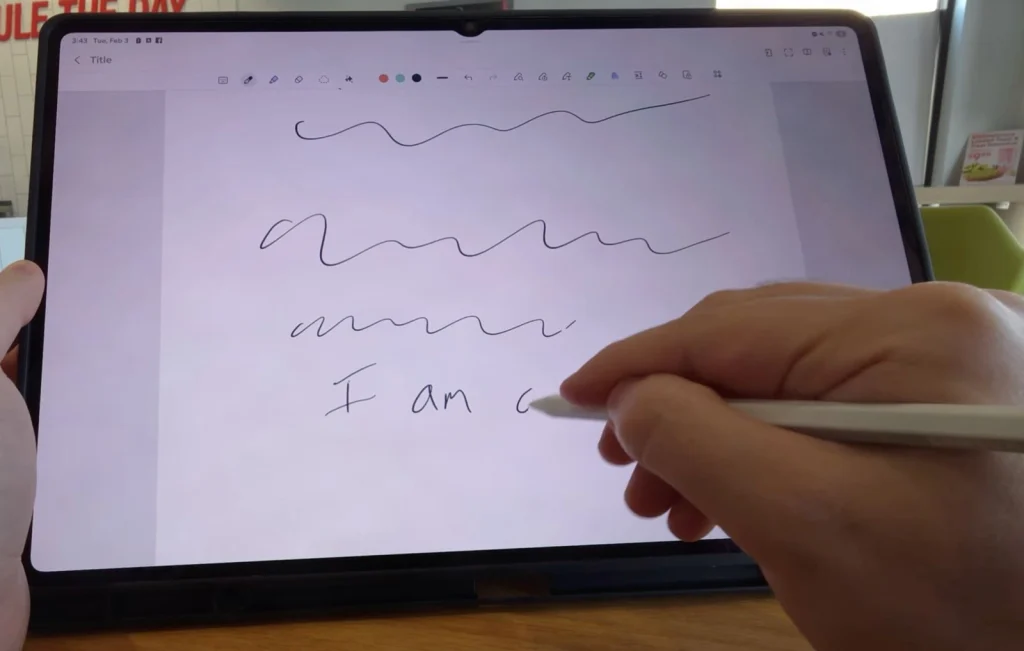
During a three-week sprint for a mobile game's character art, I used the S Pen daily, and Clip Studio Paint handled 20+ layer files without lag. Samsung Notes handles note-taking with reliable palm rejection. One annoyance: the magnetic attachment can pop loose in a bag.
Clip Studio Paint is the drawing app to get on this tablet. It handles 20+ layer files without lag and takes full advantage of the 14.6-inch canvas.
Creative Workflow: From Sketch to Final
My workflow settled into a rhythm across three weeks: rough sketches in Samsung Notes because it opens instantly and palm rejection is reliable, refinement in Clip Studio Paint where the layer support and brush engine earn their keep, then export and edit in LumaFusion. The handoff between apps is smooth enough that I stopped thinking about it, which is the highest compliment I can pay an Android tablet workflow.
I used the Tab S11 Ultra as my creative device for three weeks, testing drawing, note-taking, and video editing.
It demands battery stamina. The 11,600 mAh cell has to keep up.
Battery Life and Charging
That battery is a workhorse. I was three hours into a DeX session with a dozen Chrome tabs and a 4K timeline when the battery percentage finally dipped below 50%. That headroom means you can leave the charger at home.
Real-World Battery Endurance Tests
DeX multitasking easily lasts a full workday. Video streaming pushes past ten hours in my testing, and outdoor use at max brightness still gave me roughly six hours on a sunny afternoon. Mixed use stretches to well over a day before you reach for a cable.
Real-world scenario testing (DeX multitasking, video streaming, outdoor use) provides more actionable battery life data than synthetic benchmarks.
Charging Speed and Accessories
45W wired charging tops up the cell in around two hours. USB-C PD works with any laptop charger, and a decent power bank can add hours of runtime quickly.
Must Do: Enable 'Protect battery' in settings to cap charging at 85% for long-term battery health, especially if you use the tablet plugged in most of the time.
The tablet alone is only half the package. Accessories and ecosystem integration decide whether this setup actually replaces a laptop or just supplements one.
Accessories and Ecosystem
Keyboard Cover: Essential but Expensive
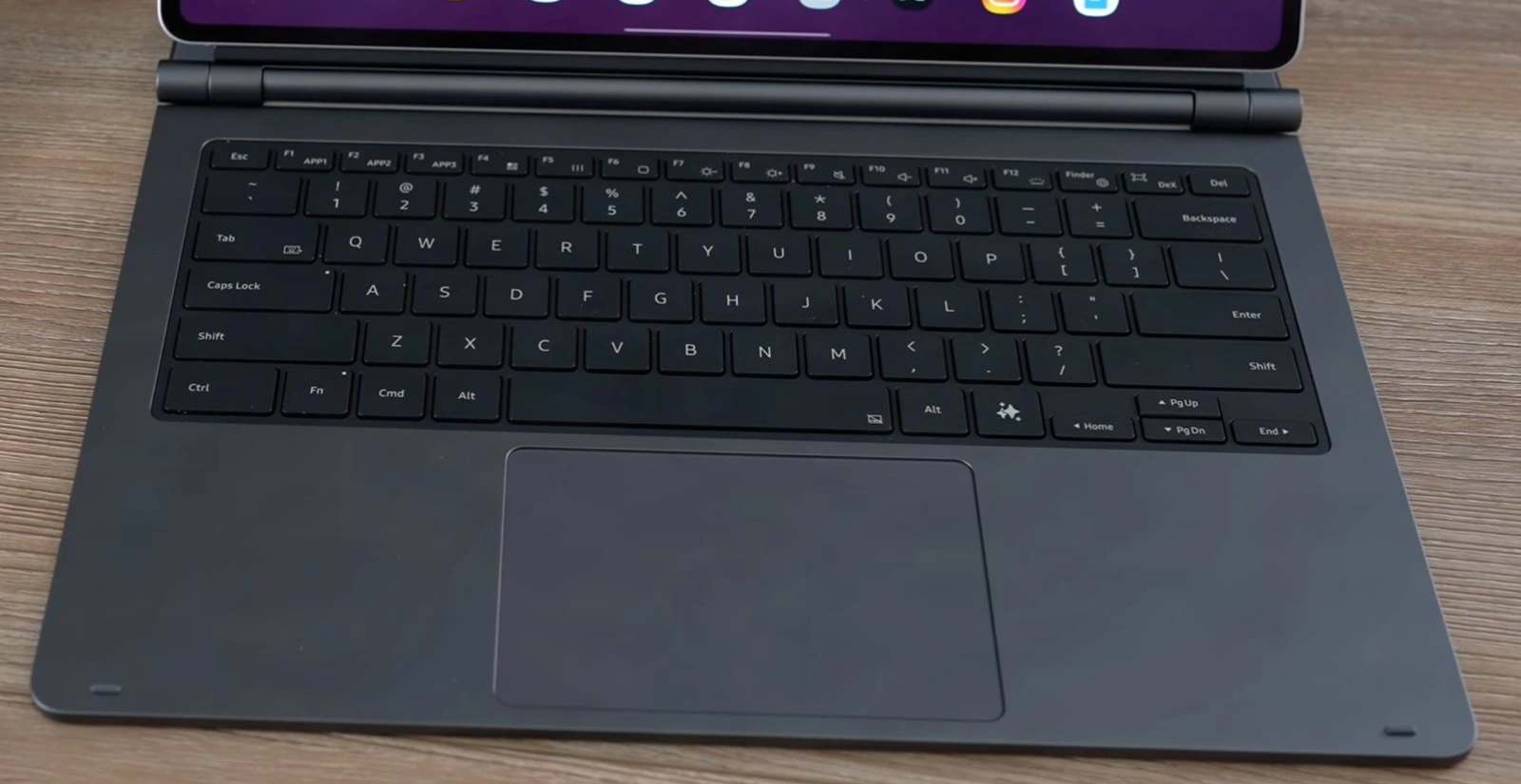
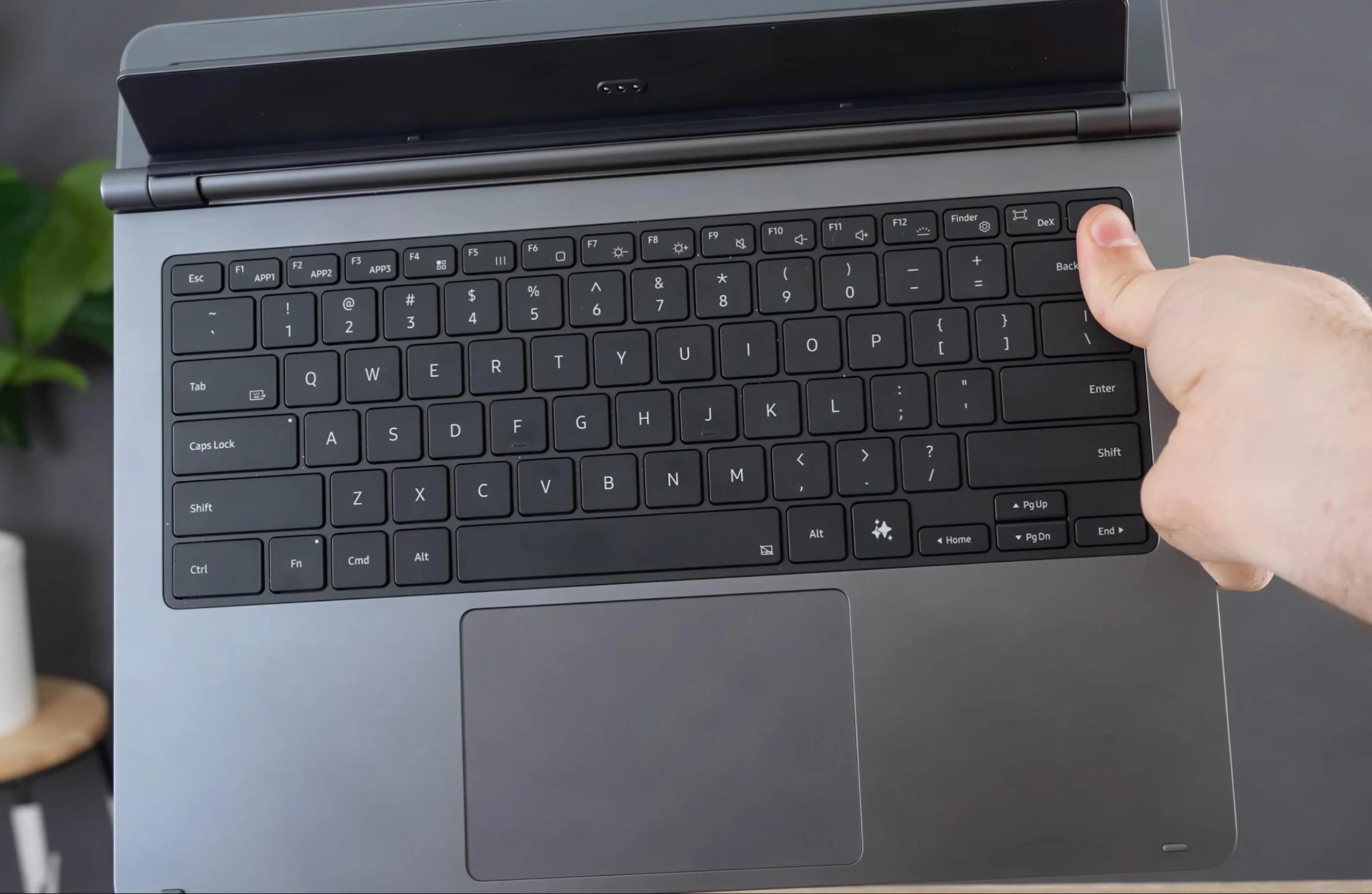
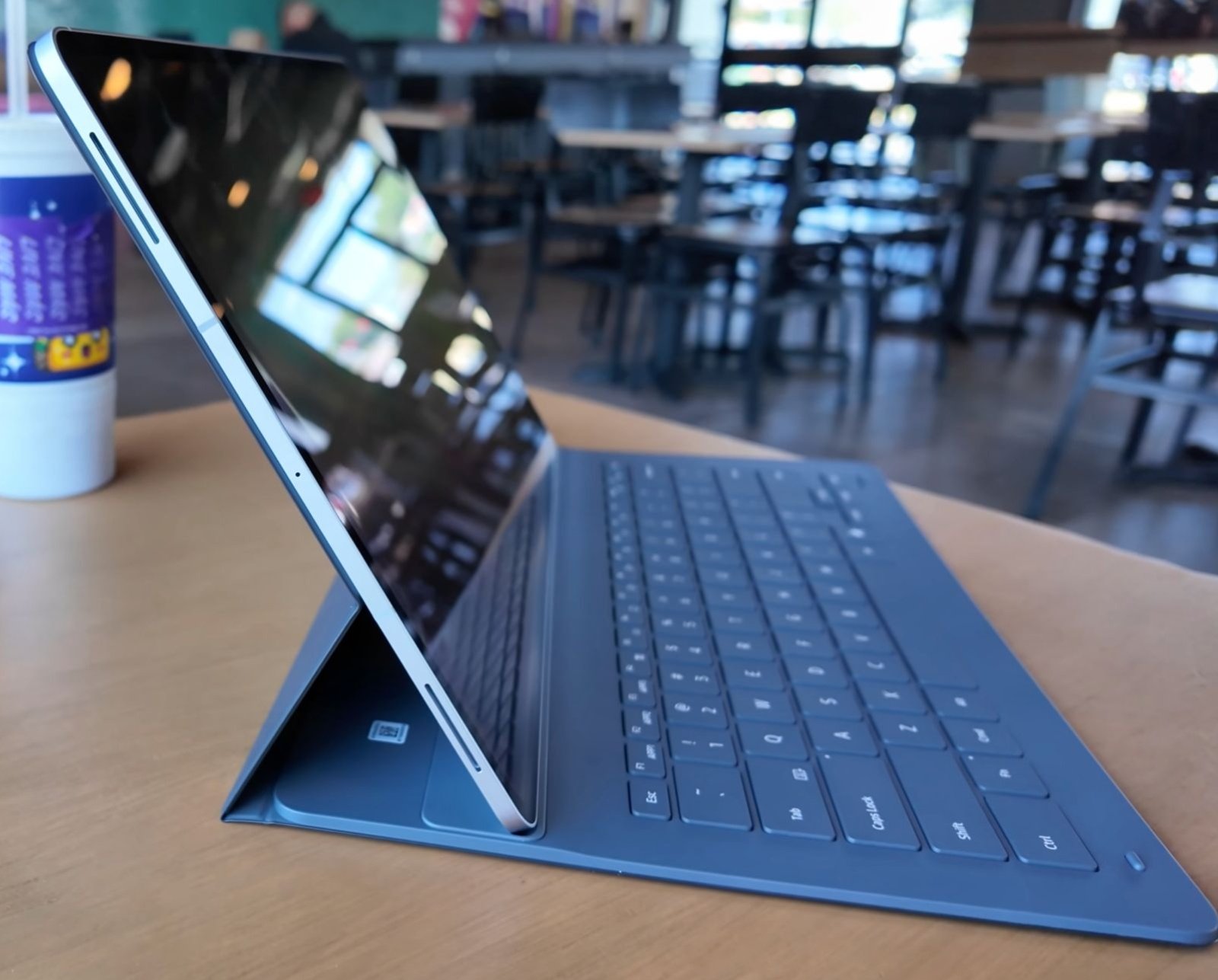
Samsung's Book Cover Keyboard Slim is a well-built companion with backlit keys and a responsive trackpad that makes DeX mode genuinely usable. The typing feel is crisp, and the backlighting is even, no small feat for a detachable cover. But at $209.99, it pushes the total cost into uncomfortable territory. Pair it with the base Tab S11 Ultra, and you're staring down a $1,400+ investment before adding any other accessories.
That price stings because the keyboard, while good, doesn't transform the tablet into a laptop replacement the way Microsoft's Type Cover does for the Surface Pro. The trackpad is smaller, and the hinge angles are limited.
It's a productivity booster, not a full laptop stand-in. The microSD slot is the real unsung hero of this tablet. I watched a colleague offload 200GB of raw footage from a cinema camera onto a 2TB card in under ten minutes, then start editing directly from the card in LumaFusion without touching the internal storage.
That's the moment the Tab S11 Ultra clicked for me as a field tool, not just a media slab.
If budget is tight, a third-party keyboard case can offer comparable typing quality at half the price of Samsung's official cover.
Galaxy Ecosystem Integration
Samsung's ecosystem perks aren't just marketing fluff. The Galaxy Buds3 Pro auto-switch between the tablet and a Galaxy phone without a hiccup. I'd start a podcast on the phone during a walk, then sit down and have the audio smoothly move to the tablet when I opened YouTube. It's the kind of smooth handoff that makes you stick with one brand.
My Recommendation: Samsung Galaxy Buds3 Pro offer smooth auto-switching between Galaxy devices and 360 Audio for immersive movie watching.
Samsung Notes sync is equally reliable. Jot a quick sketch or note on the tablet, and it's on your phone before you unlock it. Quick Share handles large video files between devices faster than Bluetooth, though it's still not as universal as AirDrop.
S Pen and Storage Expansion
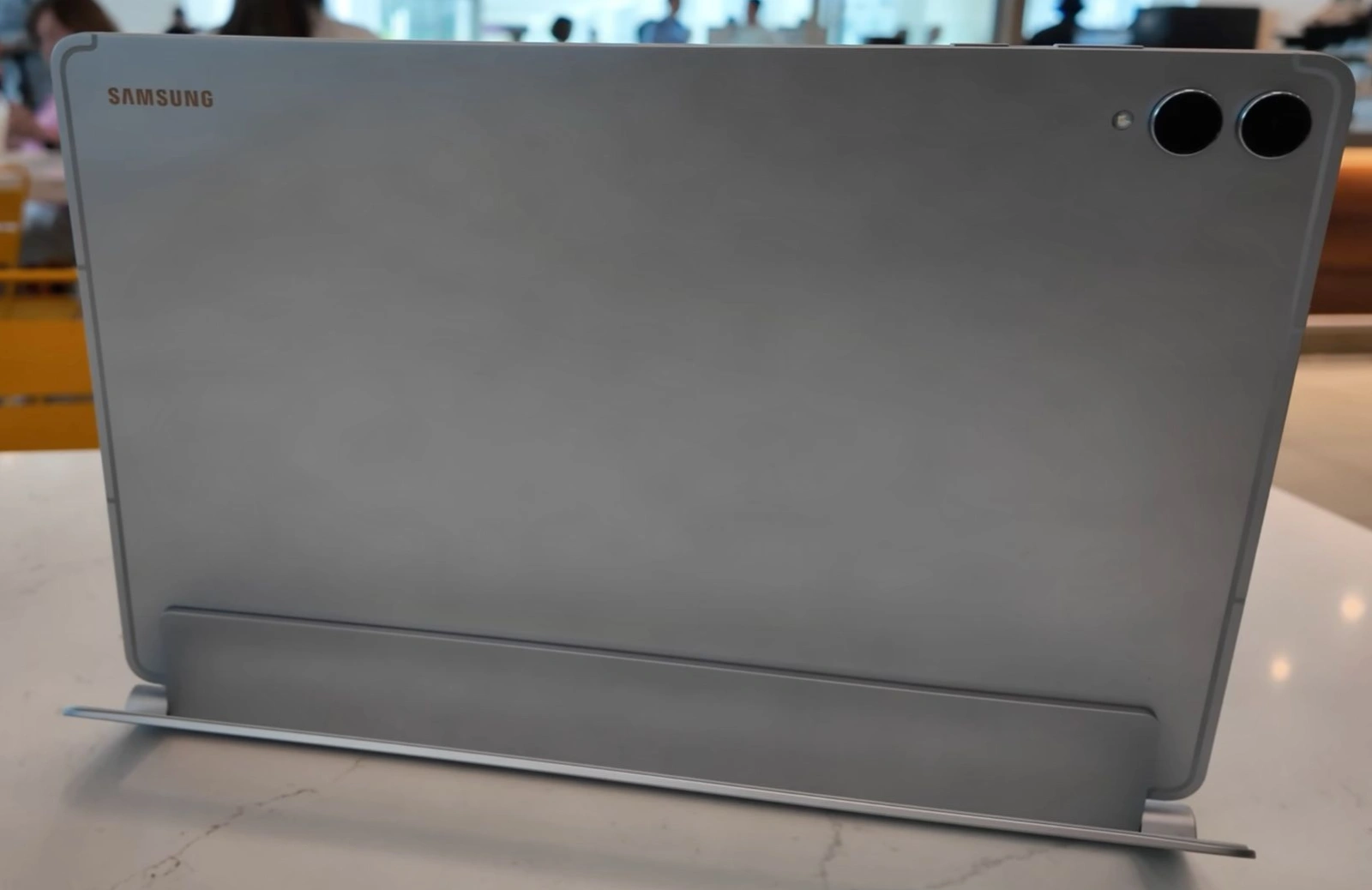
The S Pen tucks neatly into the back, but the real expansion story is the microSD slot. Support for cards up to 2TB is a rarity in premium tablets, and it turns the Tab S11 Ultra into a practical field editing tool. Offload a day's worth of 4K footage directly to the card, keep the internal storage free for apps, and edit without lugging an external SSD.
You can use the microSD slot to offload large video files, keeping internal storage free for apps and ensuring smooth system performance.
That flexibility is what separates this tablet from the sealed-box iPad Pro. You're not locked into a storage tier you'll outgrow in a year.
Cameras and speakers may not sell the tablet, but they make or break the daily experience.
Cameras and Speakers
The rear cameras are a 13MP main and an 8MP ultra-wide, and they're exactly what you'd expect: fine for scanning documents and capturing a whiteboard, unremarkable for anything else. Nobody buys a 14.6-inch tablet to photograph with it.
The front camera is more interesting, because Samsung cut it from two sensors to one. The Tab S10 Ultra had dual 12MP selfie cameras; the S11 Ultra has a single 12MP ultra-wide, which is why the notch is noticeably smaller this generation. In practice I lost nothing on video calls, and the narrower notch is less intrusive when you're watching full-screen video.
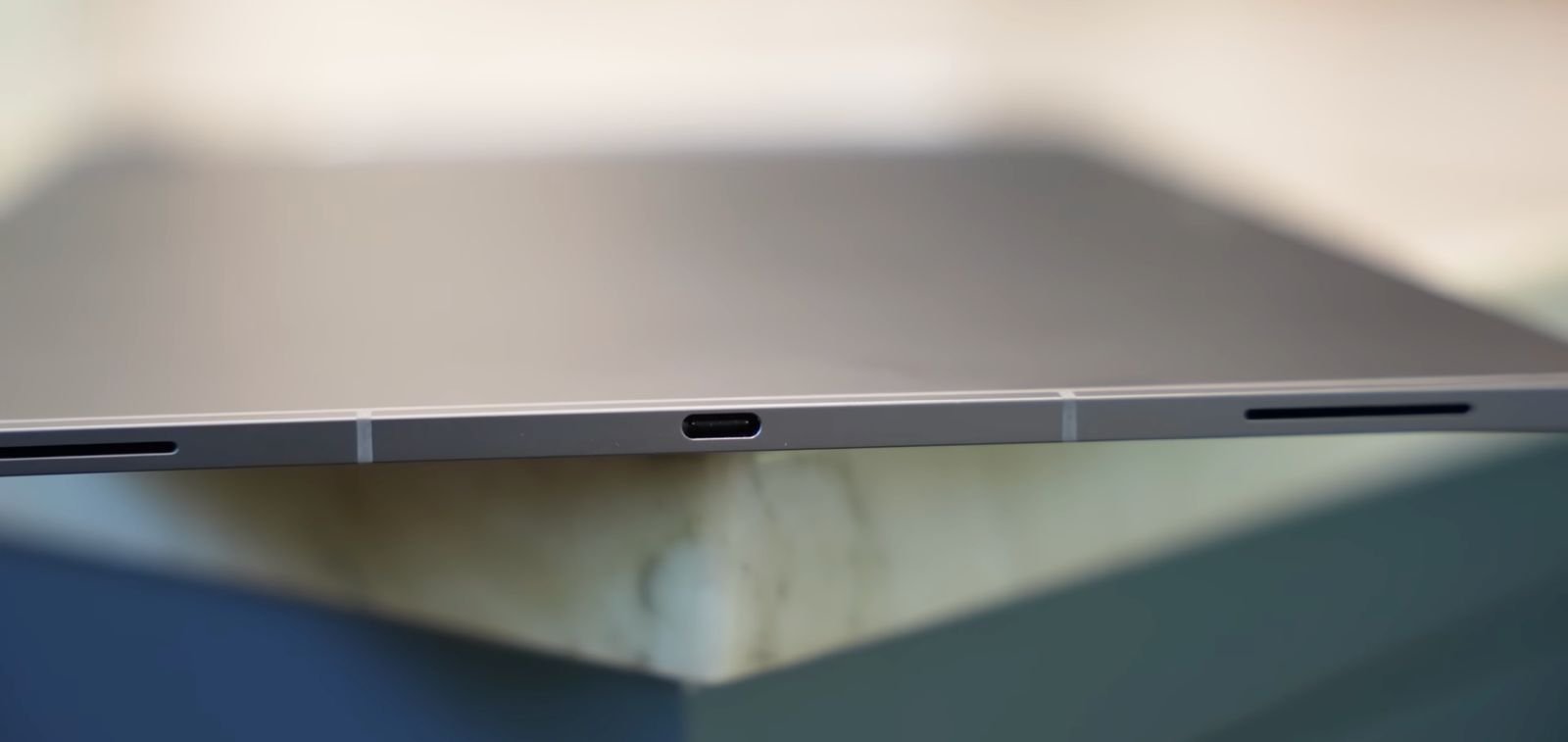
The quad speakers are the real story here, and they're central to the portable-cinema argument. Sound is genuinely room-filling, with enough stereo separation in landscape that dialogue stays centred while effects spread wide. There's no meaningful bass, as with every tablet, but for a device you prop on a tray table or a kitchen counter, it's the best audio I've heard on an Android tablet.
For private listening, Galaxy Buds3 Pro with 360 Audio add a new spatial dimension to movies.
Specs tell one story. Real-world scenarios tell the truth. Let's walk through three typical days.
| Spec | Galaxy Tab S11 Ultra | Galaxy Tab S10 Ultra | iPad Pro 13″ (M5) |
|---|---|---|---|
| Display | 14.6-inch Dynamic AMOLED 2X, 120Hz adaptive, HDR10+, 1000 nits typical / 1600 nits peak, 1848x2960 (~239 ppi) | 14.6-inch Dynamic AMOLED 2X, 120Hz, HDR10+, 1848x2960 | 13-inch XDR Tandem OLED, 120Hz, 1000 nits full-screen / 1600 nits peak, 2064x2752 |
| Chipset | MediaTek Dimensity 9400+ (3 nm), Immortalis-G925 | MediaTek Dimensity 9300+ (4 nm), Immortalis-G720 | Apple M5 |
| RAM / Storage | 12GB/256GB · 12GB/512GB · 16GB/1TB | 12GB/256GB · 12GB/512GB · 16GB/1TB | 12GB (256GB/512GB) · 16GB (1TB/2TB) |
| Battery | 11,600 mAh, 45W wired | 11,200 mAh, 45W wired | 38.99 Wh (≈ 10,075 mAh) |
| Dimensions | 326.3 x 208.5 x 5.1 mm | 326.4 x 208.6 x 5.4 mm | 281.6 x 215.5 x 5.1 mm |
| Weight | 692 g (Wi-Fi) / 695 g (5G) | 718 g (Wi-Fi) / 723 g (5G) | 579 g (Wi-Fi) / 582 g (cellular) |
| OS (shipped) | Android 16, One UI 8 | Android 14, One UI 6.1 | iPadOS 26 |
| Rear Camera | 13 MP + 8 MP ultra-wide | 13 MP + 8 MP ultra-wide | 12 MP wide + LiDAR |
| Front Camera | 12 MP ultra-wide | Dual 12 MP | 12 MP ultra-wide (landscape) |
| Stylus | S Pen included | S Pen included | Apple Pencil Pro, sold separately |
| Water Resistance | IP68 | IP68 | None |
| Expandable Storage | microSD up to 2TB | microSD | None |
| Price (starting) | $1,199.99 | $1,199.99 (launch) | $1,299 |
Real-World Scenario Deep Dives
Now let's see how those specs translate into actual days with the device.
Scenario 1: The Creative Professional
Morning sketching felt fluid; afternoon 4K editing was smooth, though cramped. I thought the Tab would replace my laptop, but the keyboard case added $209.99 to the $1,199.99 price, a sting that paid off in one DeX client review. Battery hit 35% by dinner, capable, but the real cost includes a keyboard.
Scenario 2: The Student
Lectures, note-taking, and research in split-screen worked well. Evening streaming left 40% battery after a full day, solid all-day companion, but the size is awkward in tight lecture halls.
Scenario 3: The Frequent Traveler
Downloaded movies at the airport, then worked in DeX on the plane. Battery held up through a 6-hour flight and a hotel presentation, ending at 25%, a travel powerhouse, but the weight is noticeable.
Which Tablet Is Right for You?
Still unsure? Here's the short version.
I was comparing benchmarks, but the moment I watched a movie on the 14.6-inch Dynamic AMOLED 2X screen, I knew. The chip didn't matter; the display did.
If you prioritize media and Android, the Tab S11 Ultra is your pick. If you need raw power and Apple ecosystem, go iPad Pro.
Verdict and Recommendations
Time for the final verdict.
Pros and Cons Summary
- Pros: Stunning 14.6-inch Dynamic AMOLED 2X display; DeX mode transforms it into a capable desktop; S Pen included and responsive; IP68 water resistance; microSD expansion up to 2TB; premium build quality.
- Cons: High starting price ($1,199.99+); raw performance lags behind iPad Pro M-series; Android tablet app optimization still inconsistent; S Pen loses Bluetooth features from previous generations; heavy for extended handheld use.
Our Final Recommendation
If you need top-tier performance and display quality, this is the one to get.
Get it now on AmazonWho Should Buy the Tab S11 Ultra?
Buy it if you want a portable cinema that doubles as a light desktop workstation. It's also a great fit if you're deep in the Samsung ecosystem or value the S Pen for note-taking and sketching. Skip it if you need the absolute best performance for video editing or 3D rendering. It's not for you if you rely on specific pro apps that are iPad-only, or want a lightweight tablet for reading in bed.
The Tab S11 Ultra is best for those who adopt its dual nature as a portable cinema and desktop workstation.
Final Score and Editorial Independence
The Galaxy Tab S11 Ultra earns a 4.5 out of 5. It's not the most powerful tablet you can buy, but it's the most versatile large-screen Android experience available. The trade-off is clear: you sacrifice raw silicon supremacy for a brilliant display and a desktop mode that actually works.
This review is based on three weeks of independent testing with a retail-purchased unit, and no sponsorship influenced the content.
This article contains affiliate links, which may earn me a commission at no extra cost to you.
FAQ
Can the Tab S11 Ultra replace my laptop?
It can handle light productivity and creative work via DeX mode, but app scaling issues and the lack of full desktop Photoshop mean it is not a full laptop replacement.
How is the battery life on the Tab S11 Ultra?
Battery life varies: around 6 hours outdoors at high brightness, past 10 hours streaming indoors, and a full workday of DeX multitasking.
Does the Tab S11 Ultra come with the S Pen?
Yes, the S Pen is included and offers 4,096 pressure levels for drawing and note-taking. Note that this generation drops Bluetooth, so air gestures and camera-remote functions are gone, but the pen draws power from the display and never needs charging.
Is the display good for outdoor use?
Yes, the 1000 nits typical brightness and anti-reflection coating make it legible in direct sunlight, though sustained brightness may drop due to thermal management.
How does the Tab S11 Ultra compare to the iPad Pro M5?
The iPad Pro M5 has better raw performance and app optimization, but the Tab S11 Ultra offers a larger AMOLED display, DeX mode, an included S Pen, and microSD expansion at a lower starting price.