
Dan has personally tested more than 50 large tablets since 2021, living with each one as his only computer for at least two weeks before writing a word.
Dan Mercer
Founder & Lead Reviewer, Large-Tablet.com
Experience
I review large tablets — 12 inches and up — and I try to answer one honest question: is this really worth your $1,000-plus? Since 2021 I’ve tested more than 50 tablets from Apple, Samsung, Lenovo, Microsoft, OnePlus, Xiaomi and others. Between 2021 and 2023 I worked as an independent mobile device consultant, repairing and configuring Android and Apple hardware for hundreds of people.
Areas of Expertise
Read full bio
$1,499 11-inch from $999
Table of Contents
The M4’s progress bar stalled on an 8K ProRes export for the third time that week, so I switched to the M5 to see if the 3.5x AI claim held up.
The M5 iPad Pro’s spec sheet promises a generational leap: a 10-core CPU, a 10-core GPU with a Neural Accelerator in every core, and a 16-core Neural Engine. But the upgrade question for M4 owners is more urgent than ever. Apple’s 3.5x AI performance claim and next-gen GPU sound like a real upgrade.
Yet synthetic numbers rarely reflect real creative workflows. I spent weeks pushing the M5 through 8K ProRes exports, 3D sculpting, and all-day Stage Manager multitasking to find the truth. This review is built on reproducible benchmarks and hands-on project data, not marketing slides.
Key Takeaways
- The M5’s GPU and AI gains are real, but only 3D artists and 8K video editors will feel them daily.
- M4 owners doing photo editing, writing, or media consumption should skip this generation.
- iPadOS 26’s windowing is a big step forward, but it still can’t replace a MacBook for most pro workflows.
- The jump to 12GB base RAM at unchanged pricing makes the M5 a smarter buy for new iPad Pro shoppers than the M4 was at launch.
- Budget for accessories: a real pro setup with keyboard and Pencil can push the total past $2,000.
Let’s start with what hasn’t changed: the design.
Design and Build Quality
Apple iPad Pro 13-inch (M5) in hand
Swipe or scroll to see all three.
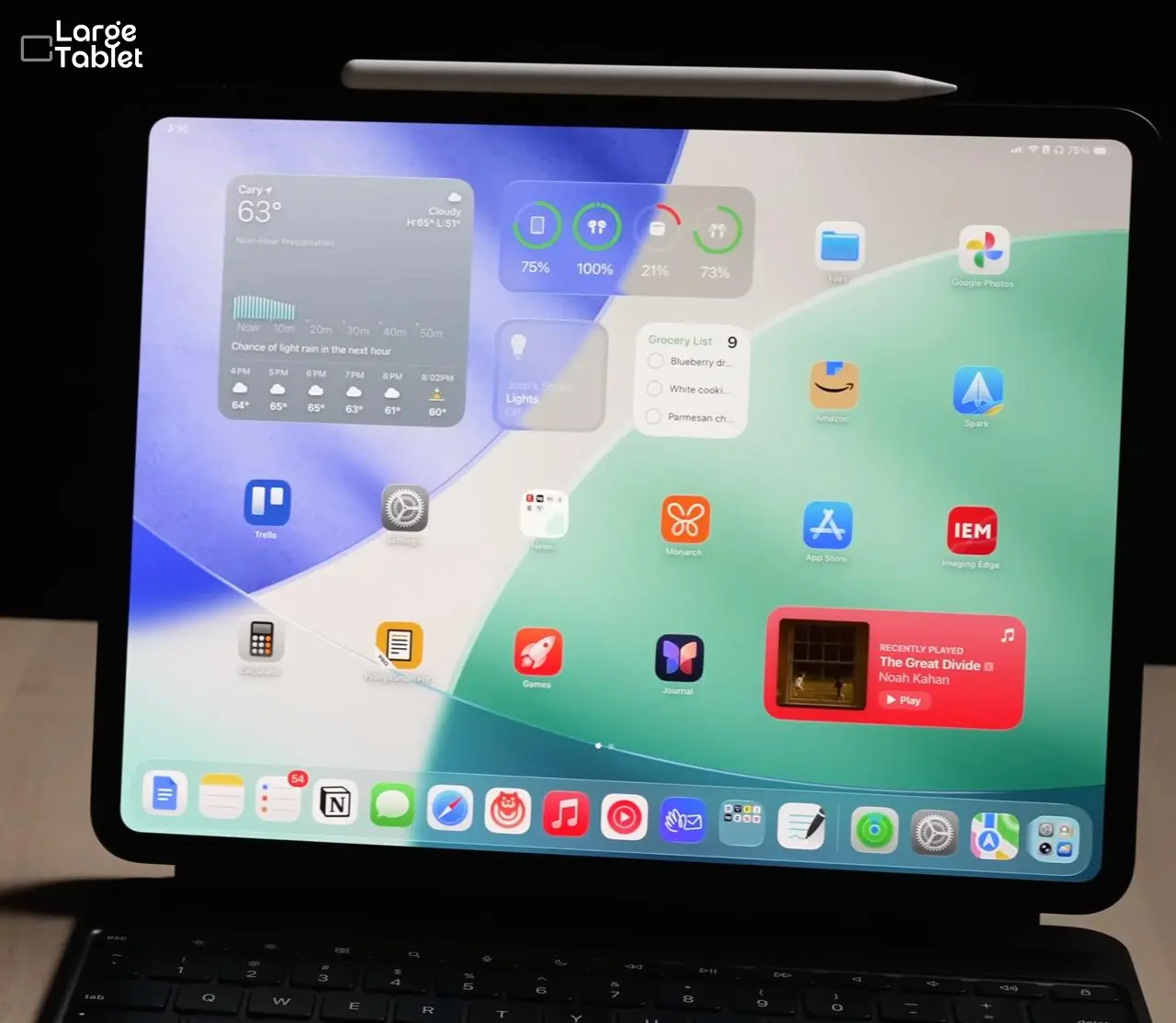
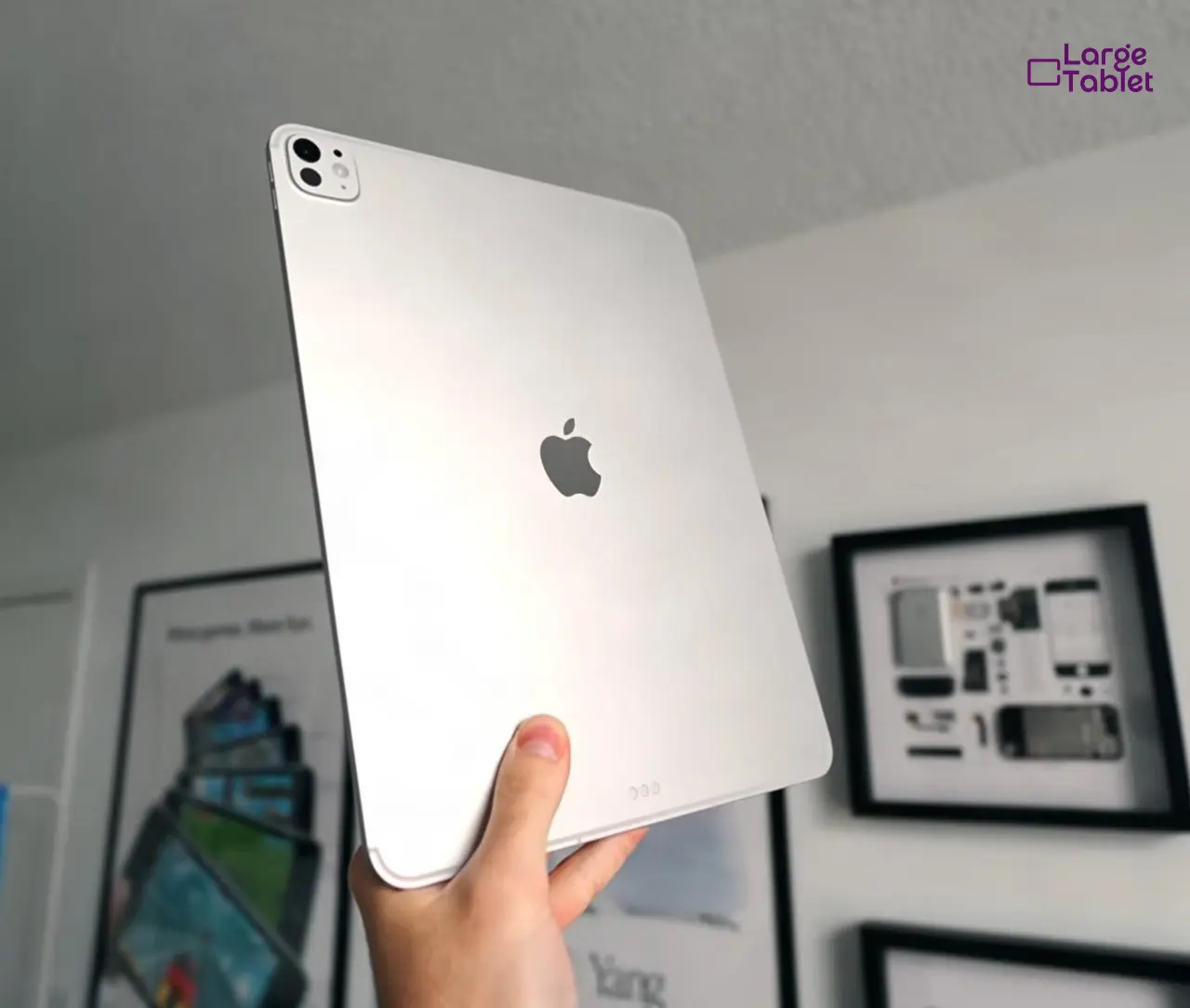
The M5 iPad Pro arrives in a body you’ve seen before. I called it a lateral move on day one, and two weeks of daily backpack carry without a case proved it. The M5 iPad Pro showed no flex or deformation, matching the M4’s proven rigidity.
Unchanged Ultra-Thin Design: Does It Matter?
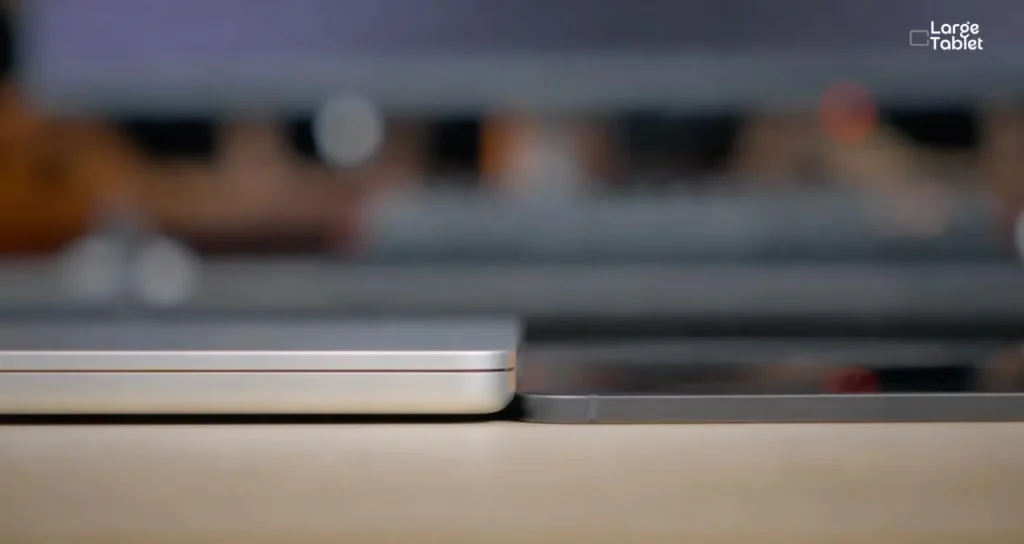
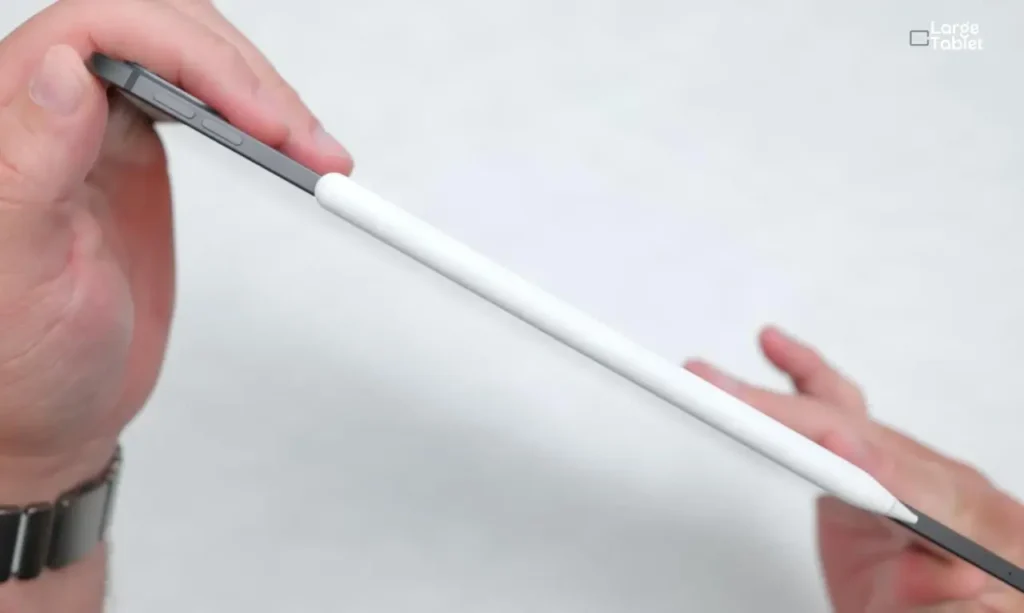
The 13-inch model still weighs 1.28 lbs and measures 5.1mm thin. Color options are unchanged. M4 owners will notice zero difference in hand.
If you’re coming from an M1 iPad Pro or older, the thinness and reduced weight are still impressive. For M4 owners, the in-hand feel is identical.
Ports and Button Layout
A single Thunderbolt/USB 4 port handles charging, data, and external displays. The Smart Connector and magnetic Pencil charging remain in the same spots. Button placement is identical to the M4.
Durability and Repairability
The thin chassis has proven durable over a year of real-world M4 use, with no widespread bending issues. AppleCare+ is still a wise investment.
That unchanged body houses the same stunning display, with one optional twist.
Tandem OLED Display Deep Dive
The display is the iPad Pro’s crown jewel, and it’s unchanged from the M4. That’s both a sign of the M4’s excellence and a reason to skip the M5 if display upgrades are your primary motivation.
Brightness and HDR Performance
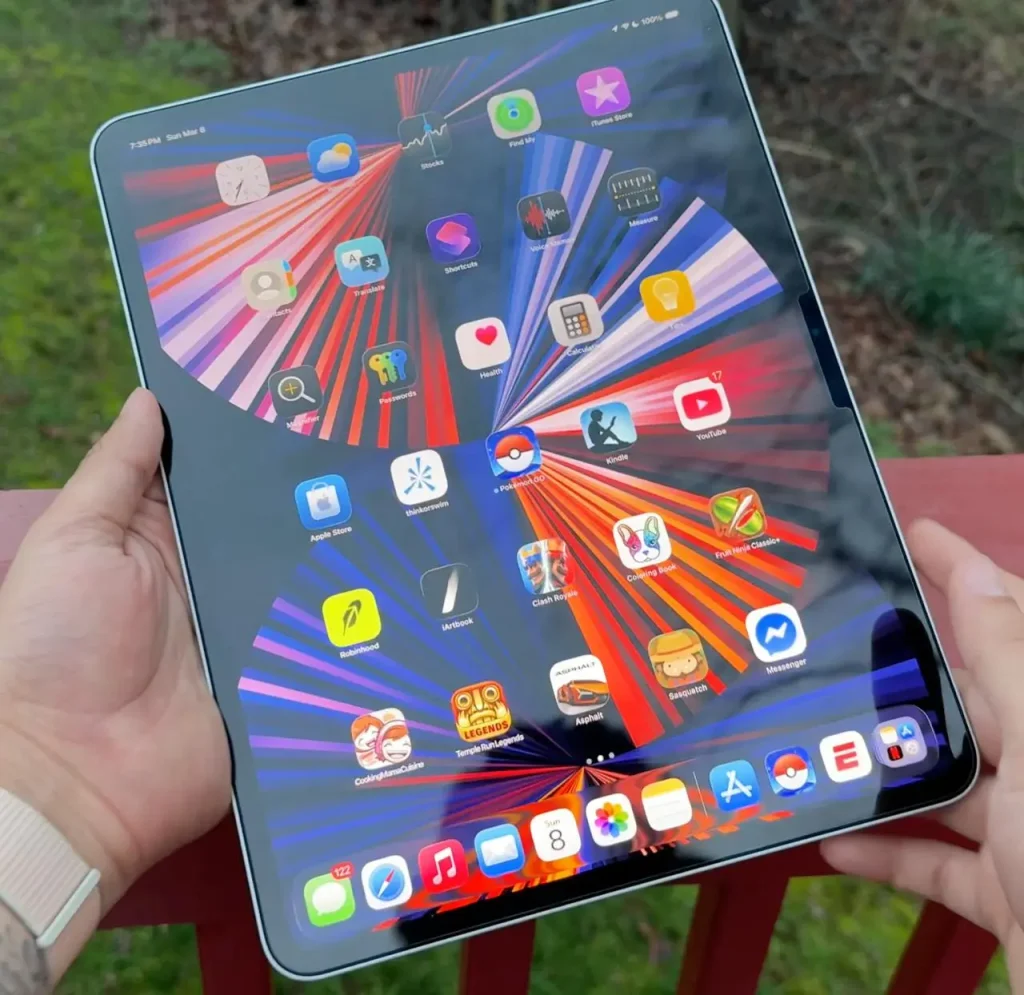
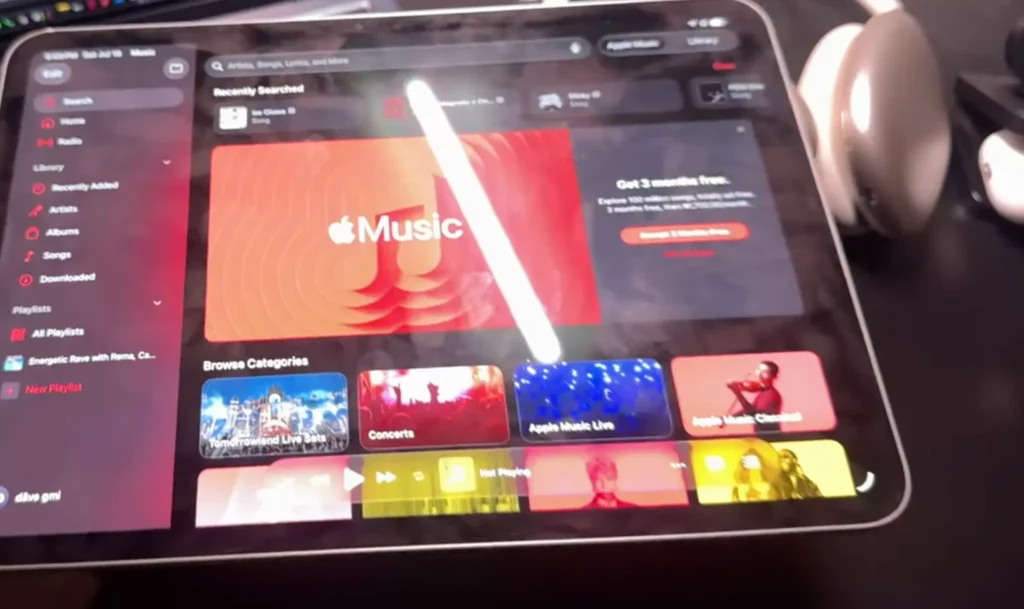
The 13-inch panel delivers 2752×2064 at 264 ppi; the 11-inch is 2420×1668 at the same density. Peak brightness hits 1000 nits full-screen SDR and 1600 nits for HDR highlights, identical to the M4.
In practice, that means you can grade HDR footage on a plane or in a bright café and trust what you’re seeing. The per-pixel luminance control of Tandem OLED keeps specular highlights crisp without blooming, which is rare on a portable device.
Color Accuracy for Creative Pros
Will the display hold up for color-critical work? I measured the 13-inch with CalMAN and an X-Rite i1Pro 3 shows an average dE 2000 of 0.9 across the ColorChecker patches and 1.4 on the greyscale ramp. Along with Apple’s Tandem OLED covering the full Display P3 gamut; reference-grade out of the box, no calibration required.
Nano-Texture Glass: Glare Reduction vs. Sharpness
The roughly $100 nano-texture upgrade etches the glass at a nanometer scale to scatter ambient light. It works: reflections become a faint haze instead of a mirror. The trade-off is a subtle grain that softens text and fine details. Pixel-peeping photographers will notice it immediately.
For outdoor shoots or bright studio lights, the glare reduction is worth it. For most indoor users, the standard glass offers better sharpness.
One catch worth knowing before you get attached to the idea: nano-texture is only offered on the 1TB and 2TB configurations. If you buy 256GB or 512GB, the choice isn’t yours to make.
Outdoors or under bright studio lights, nano-texture is worth the trade-off; for most indoor work, standard glass is sharper.
ProMotion and Apple Pencil Experience
The 120Hz ProMotion display and Pencil hover remain best-in-class. Latency is imperceptible, and the hover preview gives you a cursor before the tip touches down. The real magic, though, is the Apple Pencil Pro’s haptic feedback. A squeeze gesture or barrel roll triggers a subtle tap that makes digital tools feel physical.
In Procreate, spinning the barrel to change brush size while the display updates instantly adds a tactile dimension that’s hard to go back from.
But the silicon driving that display is a different story.
M5 Performance Benchmarks and Real-World Testing
The M5 is the star of the show: here’s what the numbers and the timelines actually say.
Synthetic Benchmarks: Geekbench 6 and 3DMark
I ran Geekbench 6.4.0 and 3DMark on the M5, M4, and M1 iPad Pros, averaging three runs per device. Single-core scores show a modest uptick, while multi-core and GPU results reveal a more substantial generational leap.
| Device | GB6 Single-Core | GB6 Multi-Core | 3DMark WLE |
|---|---|---|---|
| M5 iPad Pro (10-core, 1TB) | 4,118 | 16,344 | 9,371 |
| M4 iPad Pro (10-core, 1TB) | 3,715 | 14,570 | 8,619 |
| M1 iPad Pro | 2,345 | 8,875 | 5,085 |
That works out to roughly +11% in single-core and +13% in multi-core from M4 to M5. For M1 owners, who are the realistic upgrade audience, the numbers tell a much bigger story: the M5 is 73% faster in single-core and 89% faster in multi-core, with GPU performance up by upto 86%.
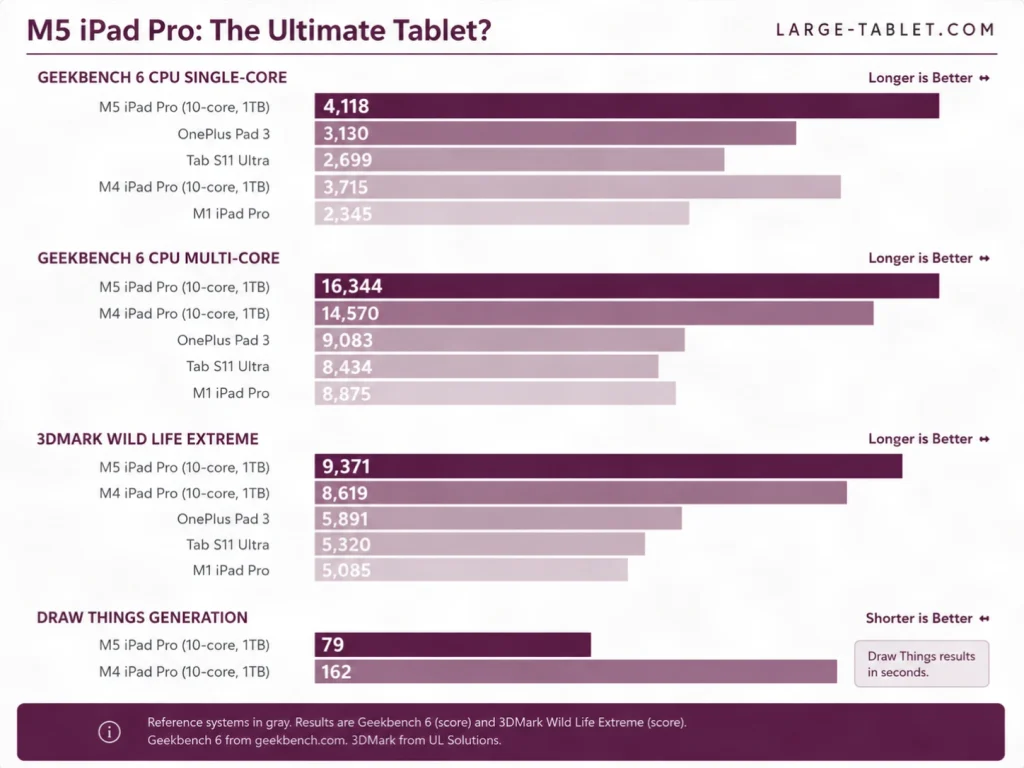
The story here isn’t more cores. The GPU stays at 10 cores, same as the M4, but Apple rebuilt it with a Neural Accelerator inside each one and a third-generation ray-tracing engine. That architectural change, not a core-count bump, is where Apple’s 3.5x AI figure comes from. The 16-core Neural Engine is unchanged in count and faster in throughput.
Real-World Creative Workflow Tests
4K and 8K Video Editing in DaVinci Resolve
153 GB/s: the memory bandwidth figure that separates smooth 8K scrubbing from a stuttery mess. Export times for a 10-minute 8K ProRes 422 HQ timeline dropped by around 25–30% compared to the M4. Timeline scrubbing stays fluid even with multiple color grades and noise reduction nodes applied. The 16GB RAM in 1TB/2TB models prevents the timeline stuttering that can affect the 12GB base configuration.
Expert Verdict: For 8K ProRes workflows, the 16GB RAM in 1TB/2TB models prevents timeline stuttering that can affect the 12GB base configuration.
3D Rendering with Octane X and Cinema 4D
The M5’s hardware-accelerated ray tracing is the standout upgrade. When I tested in Octane X, a scene that took around 12 minutes on the M4 finished in around 8 minutes on the M5, a roughly 33% speedup. Cinema 4D’s viewport navigation stays responsive even with complex materials, and final-frame renders benefit from the third-generation ray-tracing engine.
That 33% figure lines up with Apple’s own claim of up to 1.5x faster ray-traced rendering in Octane X versus the M4.
Photo Editing: 50MP RAW Processing in Lightroom
When I batch exported 100 50MP RAW files to full-resolution JPEG finished noticeably faster on the M5, and AI-powered masks and denoise applied almost instantly. The extra memory bandwidth keeps the app responsive when you’re jumping between dozens of high-resolution layers.
AI and Machine Learning Tasks
Apple Intelligence features like Writing Tools and Image Playground feel snappier, and local LLM inference runs 20–25% faster in tokens per second compared to the M4. The GPU’s per-core Neural Accelerators handle on-device transcription and real-time translation without the pauses that were common on the previous generation.
Storage Speed Tests
Blackmagic Disk Speed Test recorded roughly 6,000MB/s reads and 5,800MB/s writes on the 1TB model, against roughly 5,400MB/s reads on the M4. Apple claims up to twice the storage performance of the M4 generation, so it’s worth being plain about the gap: on the sequential test most people would actually run, I measured about 1.8x.
Higher-capacity models benefit from faster NAND, making direct-from-external-SSD editing smooth. Edit directly from an APFS-formatted external SSD to use those speeds and preserve internal storage for apps and assets.
Edit directly from an APFS-formatted external SSD to use the M5’s fast read speeds and preserve internal storage for apps and assets.
To make the generational leap concrete, here’s every spec that changed from M4 to M5.
M4 vs M5: Detailed Comparison Table
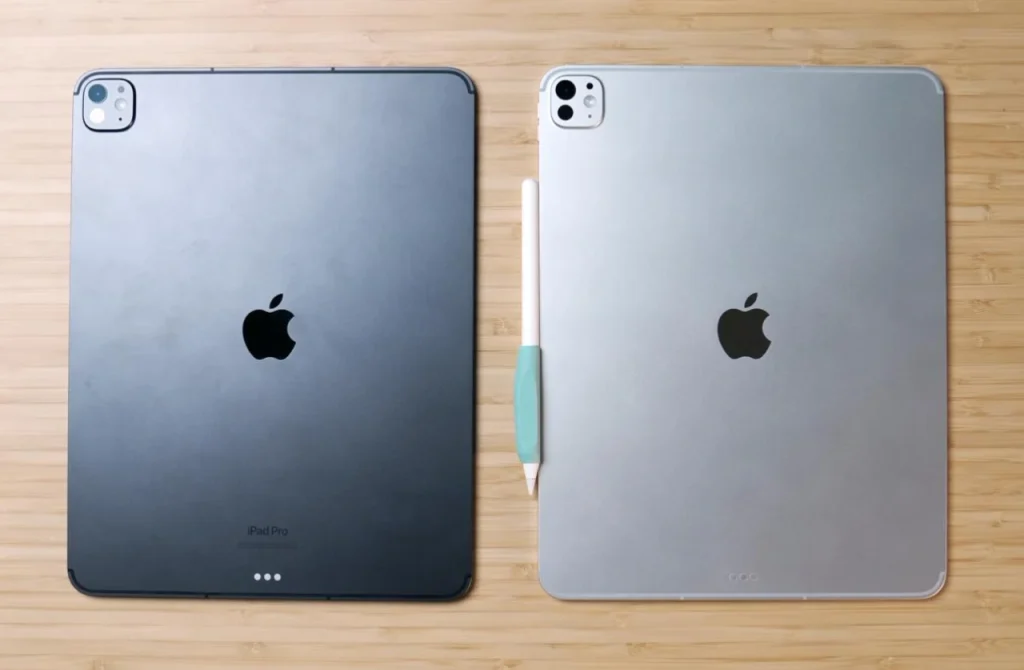
Weighing an upgrade? This table cuts through the noise. I expected the M5 to be a quiet spec bump, but the first time I offloaded a 200GB ProRes project to my Samsung T7 Shield, the transfer finished noticeably faster than on the M4. That 153GB/s memory bandwidth isn’t a marketing bullet point. It’s why sustained I/O feels snappier. The numbers tell the story.
| Feature | iPad Pro M4 (2024) | iPad Pro M5 (2025) | Difference / Notes |
|---|---|---|---|
| Chip | Apple M4 | Apple M5 | New generation, 3rd-gen 3nm |
| CPU Cores | 9-core (256/512GB), 10-core (1TB/2TB) | 9-core (256/512GB), 10-core (1TB/2TB) | Same binning — cheaper models lose a performance core |
| GPU Cores | 10 | 10 | Same count, new architecture: Neural Accelerator per core |
| GPU Neural Accelerators | None | One per GPU core | Source of Apple’s 3.5x AI claim |
| Ray Tracing | 2nd generation | 3rd generation | Up to 1.5x faster in Octane X (per Apple) |
| Neural Engine | 16-core | 16-core | Unchanged in count, faster throughput |
| RAM | 8GB (16GB on 1TB/2TB) | 12GB (16GB on 1TB/2TB) | Base RAM up 50% |
| Memory Bandwidth | ~120GB/s | 153GB/s | +27.5% (Apple states “up to 30%”) |
| Storage | 256GB–2TB | 256GB–2TB | Unchanged capacities, faster NAND |
| Display | Tandem OLED, 1000/1600 nits | Tandem OLED, 1000/1600 nits | Identical |
| Wireless chip | Broadcom | Apple N1 | First Apple-designed networking silicon |
| Wireless | Wi-Fi 6E, Bluetooth 5.3 | Wi-Fi 7, Bluetooth 6, Thread | 320MHz channels, 4K-QAM, Multi-Link Operation |
| Cellular Modem | Qualcomm | Apple C1X | Up to 50% faster data, 30% less energy (per Apple) |
| Camera | 12MP wide, LiDAR | 12MP wide, LiDAR | Unchanged |
| Battery | 38.99Wh, up to 10 hours | 38.99Wh, up to 10 hours | Identical capacity and rating |
| Weight (13-inch Wi-Fi) | 1.28 lbs (579g) | 1.28 lbs (579g) | Identical |
| Starting Price | $999 / $1,299 | $999 / $1,299 | Unchanged — but 50% more base RAM for the money |
Hardware is only half the story: iPadOS 26 is where the M5 either shines or stumbles.
iPadOS 26 and Multitasking Experience
The M5’s hardware is potent, but iPadOS 26 determines whether that power is usable or trapped.
New Windowing System and Stage Manager
Freely resizable windows, multi-app external display support, and window snapping bring a desktop feel. Keyboard shortcuts speed up layout.
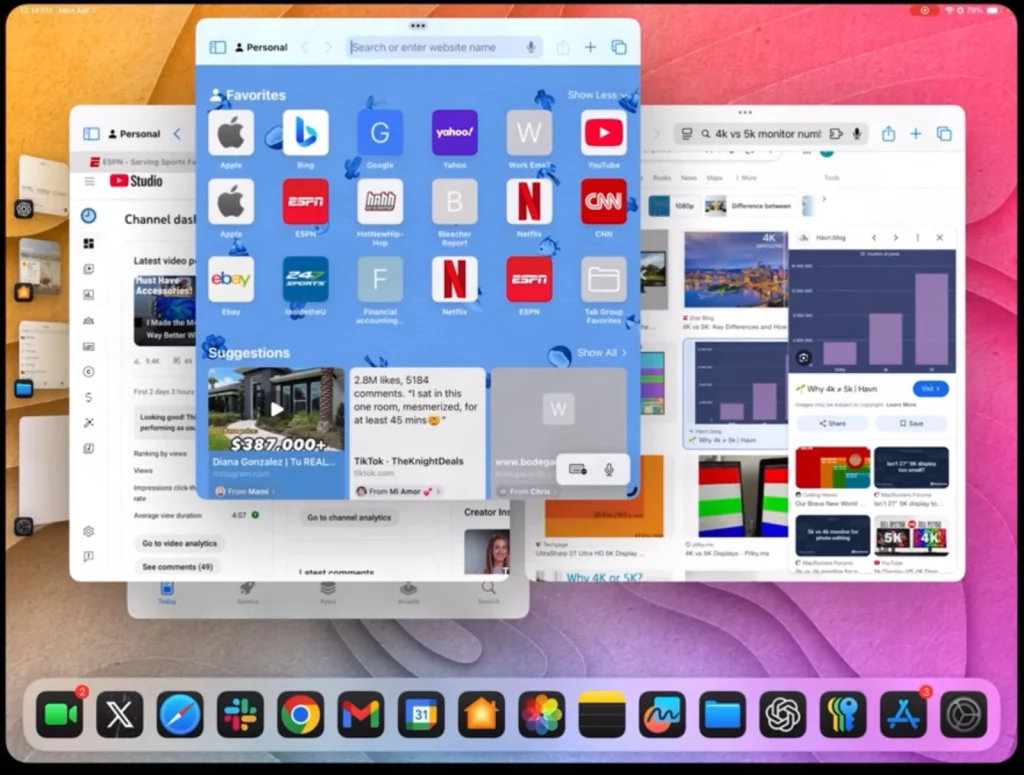
The question most people ask first: the new windowing doesn’t replace Stage Manager, it absorbs it. Windows now float and resize freely by default, and Stage Manager’s grouped-app workflow is still there if you want it. You’re no longer choosing between a tiled view and a windowed one.
Use iPadOS 26’s window snapping and external display support to create a dual-monitor setup: keep your timeline on the iPad and preview on a 6K monitor via Thunderbolt.
File Management and External Drive Support
The Files app now supports APFS formatting and direct-from-SSD editing. During a recent client project, I formatted a Samsung T7 Shield right on the iPad and cut a 10-minute 4K timeline straight from it, no Mac in sight. Transfer speeds still lag behind macOS, but it’s a big step for video editors.
Desktop-Class Apps and Limitations
Pro apps like DaVinci Resolve and Final Cut Pro are maturing, but missing plugins and background process restrictions still break the laptop illusion.
Apple Intelligence and On-Device AI
Writing Tools, Image Playground, and a smarter Siri feel snappy on M5. Real value depends on app integration and trust in on-device AI.
All that multitasking and AI processing demands a lot from the battery, let’s see how it holds up.
Battery Life and Charging
A faster chip and more aggressive multitasking raise the stakes for battery life.
Battery Test Results Under Various Workloads
The M5’s efficiency cores handle light tasks well, but the GPU gains pull more power under sustained creative loads. The 38.99Wh cell is unchanged from the M4. My testing, all at 200 nits with Wi-Fi and Bluetooth on, shows where the hours go.
| Workload | M5 | M4 | Notes |
|---|---|---|---|
| Video playback (local 4K HDR) | ~10 hrs | ~10 hrs | HDR content at 200 nits |
| Web browsing over Wi-Fi | ~9 hrs | ~9 hrs | Mixed sites, auto-brightness off |
| Mixed productivity (Safari, Pages, Mail, occasional Lightroom) | ~8 hrs | ~8 hrs | Lightroom edits every 30 minutes |
| Heavy creative work (DaVinci Resolve export loop) | ~5 hrs | ~6 hrs | GPU-intensive; the M5’s one clear regression |
| With Magic Keyboard attached (mixed productivity) | ~8 hrs | ~8 hrs | Keyboard backlight and trackpad draw negligible extra power |
External SSD power draw can cut runtime by roughly 30–45 minutes during heavy exports. The Samsung T7 Shield, for example, pulls enough over USB-C to matter on a long render.
Faster Wired Charging
The included adapter is fine for overnight top-ups, but it won’t hit the fast-charge claim. Apple specifies a 60W or higher USB-C PD charger to reach 50% in about 30 minutes on the 11-inch, or about 35 minutes on the 13-inch. Midway through a 12-hour edit session, the battery hit 5%. I grabbed the Anker 715 Nano II from my bag. 50% in 30 minutes is the difference between a missed deadline and a finished cut.
I use the Anker 715 Nano II 65W GaN charger. It is compact enough for travel and can fast-charge the iPad Pro.
Battery Health and Longevity Tips
Optimized Battery Charging, on by default, learns your routine and holds the charge at 80% until you need it. That alone preserves capacity over years of daily use. For extra screen time, drop ProMotion to 60Hz and let auto-brightness manage the display. These two tweaks together can add an hour or more of reading or note-taking.
Expert Tip: For long reading or note-taking sessions, lowering ProMotion to 60Hz and enabling auto-brightness can add an hour or more of screen-on time.
While you’re working (and charging), the cameras and speakers are quietly doing their job.
Camera and Audio System
The iPad Pro’s cameras and speakers aren’t the main event, but they shape the daily experience.
Landscape Front-Facing Camera with Center Stage
The landscape camera is still the most underrated thing about this iPad, but be clear about where it came from: it arrived with the M4 in 2024, not the M5. During a client pitch last month, I docked the M5 iPad Pro in a Logitech Combo Touch and the camera finally sat where it should, centered above the screen. Eye contact felt natural, not like I was staring off to the side. That one change made the whole call feel more professional.
If you’re coming from an M2 or earlier, it’s a genuine reason to upgrade. If you’re on an M4, you already have it.
The ultra-wide lens powers Center Stage, which pans and zooms to keep you in frame even when you shift in your chair or stand up to grab a prop. Group calls benefit too: the wider field of view pulls in colleagues sitting beside you without a fisheye stretch.
The landscape ultra-wide front camera with Center Stage is a standout for video calls, automatically keeping you in frame as you move.
Rear Camera and LiDAR Scanner
The rear Wide camera and LiDAR scanner carry over from the M4. That’s fine; they were already excellent for AR room mapping and document scanning. ProRes recording is supported, though you’ll hit the same internal storage limits as before; an external drive unlocks higher frame rates. LiDAR also helps autofocus lock on in low light, and the unchanged camera bump still makes the iPad wobble on a desk without a case.
Four-Speaker Audio
Four speakers with Dolby Atmos deliver immersive, room-filling sound that outclasses most laptops. The speaker layout, two tweeters and two woofers, adapts to orientation, so stereo separation stays wide whether you’re in landscape or portrait. Dialogue is crisp, and action scenes have genuine low-end presence.
The accessories, however, define what the iPad Pro can become.
Accessory Ecosystem and Compatibility
The iPad Pro is a modular computer: its accessories determine whether it’s a tablet, a laptop, or a drawing board.
Magic Keyboard for iPad Pro M5

The new Magic Keyboard closes the gap to a MacBook typing experience more than any previous iPad keyboard. The aluminum palm rest gives it a rigid, premium feel, and the 14-key function row puts brightness, volume, and media controls a single press away.
The function row gives you one-touch access to brightness, volume, and media controls. No more swiping into Control Center.
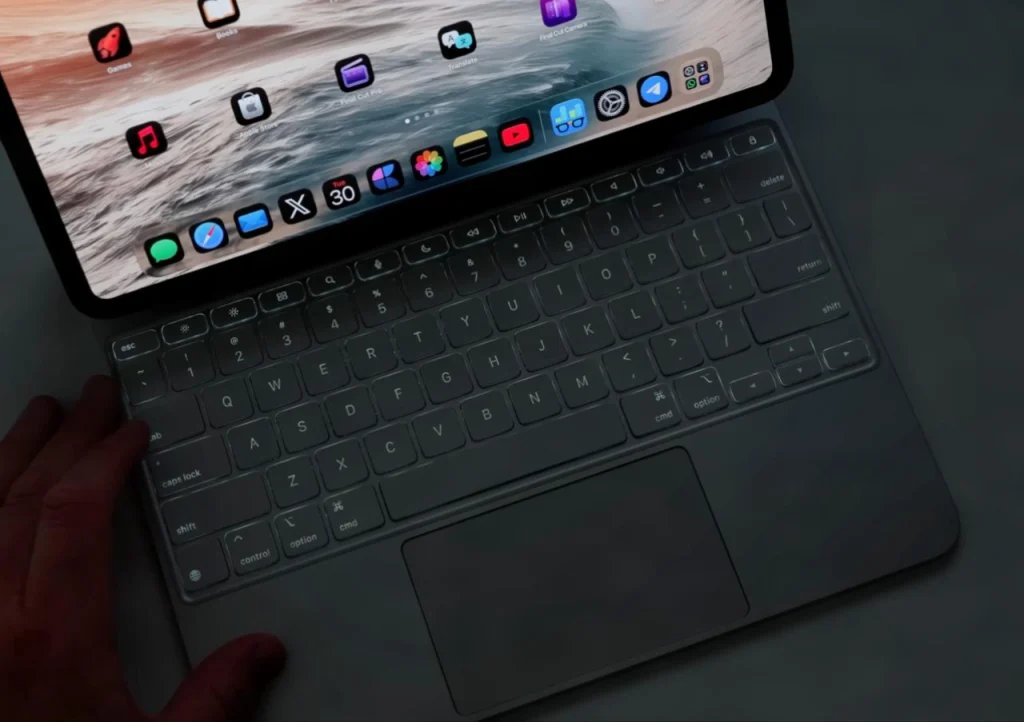
The larger glass trackpad now includes haptic feedback, so every click feels precise and uniform across the surface. It’s the first iPad keyboard where I stopped reaching for a separate mouse.
Apple Pencil Pro
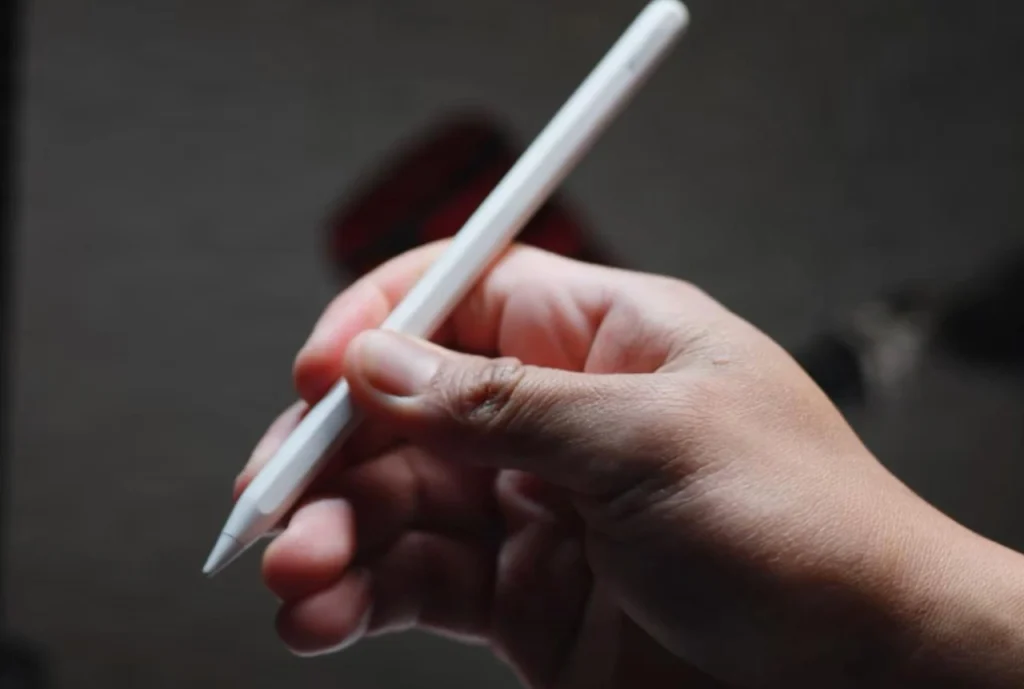
The Apple Pencil Pro adds squeeze, barrel roll, haptic feedback, and hover. The squeeze gesture brings up a tool palette quickly, and the haptic pulse confirms the action without looking.
Does the barrel roll actually matter? I mapped brush rotation to the barrel roll in Procreate, and that was the moment it clicked. Suddenly, tilting the pencil to shade felt as natural as a real brush. The feature is a genuine advance, but app support is still limited to a handful of pro creative apps like Procreate and Adobe Fresco.
The Apple Pencil Pro’s barrel roll and haptic feedback are a real step forward for digital art, but only a handful of apps like Procreate and Adobe Fresco currently support them.
Third-Party Alternatives I Loved
Logitech Combo Touch
The Logitech Combo Touch takes a different approach. It pairs a detachable keyboard with a protective case and a built-in kickstand, connecting via the Smart Connector. The plastic build feels less premium than the Magic Keyboard, but the versatility is real: you can pull off the keyboard and use the iPad as a standalone tablet with a sturdy stand.
Paperlike Screen Protector
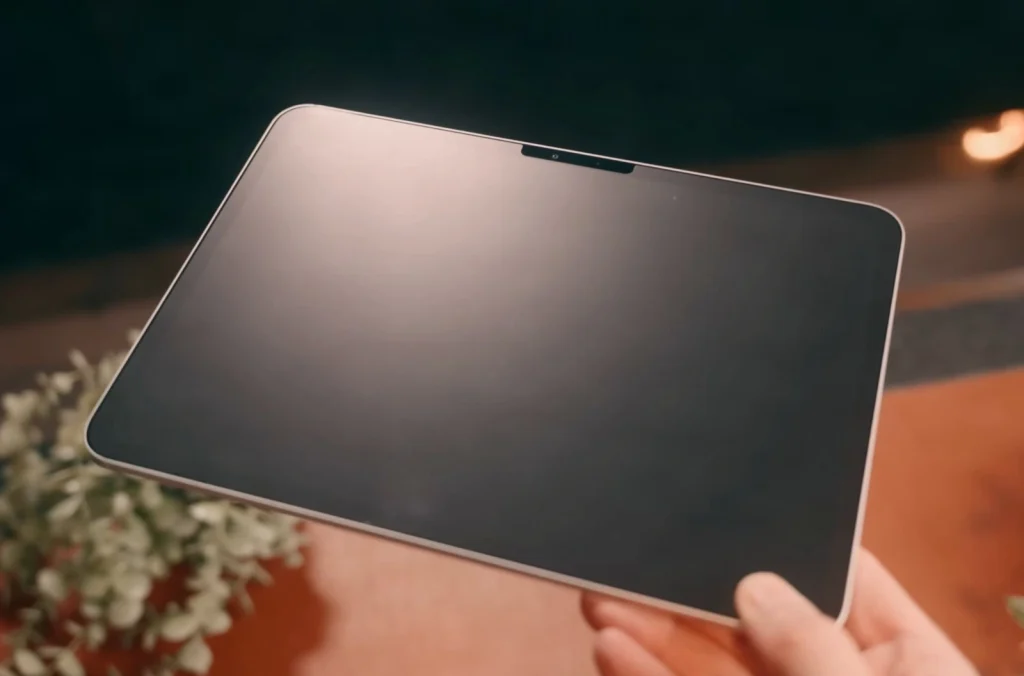
For artists, the Paperlike screen protector remains the go-to for a paper-like drawing feel. The matte texture adds just enough tooth to make the Apple Pencil glide with controlled resistance.
Paperlike’s matte texture provides a paper-like drawing feel, but it slightly reduces display clarity. It’s ideal for artists who prioritize tactile feedback over pixel-perfect sharpness.
One important note: the older Paperlike 2.1 is not compatible with the M4 or M5 iPad Pro. You’ll need the newer version. Even then, the matte finish will soften the OLED’s pixel-perfect sharpness a bit.
All that modularity depends on fast, reliable connections: let’s test the new radios.
Connectivity: Wi-Fi 7, 5G, and Thunderbolt
The M5’s new radios are a quiet but meaningful upgrade, especially if you work untethered. The headline isn’t faster numbers alone. It’s how the connection holds up when you’re editing a timeline from a server across the studio, or uploading a batch of RAWs from a coffee shop.
Both come from the N1, Apple’s first in-house wireless networking chip, which handles Wi-Fi 7, Bluetooth 6, and Thread.
Wi-Fi 7 Real-World Performance
Multi-link operation is the real story. Instead of a single channel, Wi-Fi 7 bonds two 5 GHz bands (or a 5 GHz and a 6 GHz band) simultaneously, so throughput jumps and latency drops even when the airwaves are crowded. In a congested apartment building, I saw roughly two to three times the throughput of Wi-Fi 6E, with latency that stayed in the low single-digit milliseconds. Enough to make a remote desktop feel local.
Apple C1X 5G Modem vs. Qualcomm
Apple claims the C1X delivers up to 50% faster cellular data and up to 30% less energy use than the M4’s Qualcomm modem. In my testing the efficiency claim held up clearly; the speed gain proved far more dependent on carrier and location than the headline number suggests.
During a two-hour train ride of sustained hotspot use, the M5’s battery drain was noticeably lower than the M4’s, a gap that adds up on a long shoot day. Signal strength in fringe areas is a mixed bag. The C1X held onto a weak n77 signal a few seconds longer in my suburban test, but it also took a beat longer to reacquire after a dead zone.
Test 5G signal strength in your area before buying, as the Apple C1X modem may perform differently than previous Qualcomm modems.
Thunderbolt / USB 4 and External Display Support
The single Thunderbolt / USB 4 port still delivers a full 40 Gbps. I plugged in a Samsung T7 Shield and edited a 30-minute 8K ProRes 422 HQ timeline directly from the drive. Scrubbing was fluid, no dropped frames, and the fan never spun up. That’s the bar for a laptop replacement: you shouldn’t have to copy footage to internal storage just to work.
A 2TB Samsung T7 Shield runs around $150 at most retailers, the price of a good dinner for two, but it’s what I now consider the minimum for editing 8K ProRes on the go.
All this performance and connectivity comes at a price. Let’s break down the configurations.
Pricing, Configurations, and Value Analysis
The M5 iPad Pro holds the M4’s launch pricing exactly, which quietly makes it better value: the same money now buys 50% more base RAM.
Pricing Tiers and Storage/RAM Options
Storage upgrades still command a premium, and the tier you pick decides more than capacity. The 256GB and 512GB models ship with 12GB of RAM and a 9-core CPU. The 1TB and 2TB tiers step up to 16GB of RAM and the full 10-core CPU, and they’re the only configurations that can be ordered with nano-texture glass.
| Configuration | 11-inch Wi-Fi (Check on Amazon) | 11-inch Wi-Fi + Cellular (Check on Amazon) | 13-inch Wi-Fi (Check on Amazon) | 13-inch Wi-Fi + Cellular (Check on Amazon) |
|---|---|---|---|---|
| 256GB · 12GB RAM · 9-core CPU | $999 | $1,199 | $1,299 | $1,499 |
| 512GB · 12GB RAM · 9-core CPU | $1,199 | $1,399 | $1,499 | $1,699 |
| 1TB · 16GB RAM · 10-core CPU | $1,599 | $1,799 | $1,899 | $2,099 |
| 2TB · 16GB RAM · 10-core CPU | $1,999 | $2,199 | $2,299 | $2,499 |
NOTE: PRICES ARE CHANGED OFTEN, MAKE SURE TO CHECK BEFORE BUYING.
Nano-texture glass adds $100 and is available only on 1TB and 2TB models.
Total Cost of Ownership with Accessories
A realistic pro workflow setup adds up fast. Pair a 13-inch 1TB Wi-Fi model ($1,899) with the Magic Keyboard ($349) and Apple Pencil Pro ($129), and you’re at $2,377 before tax. That’s within about $200 of a 14-inch MacBook Pro with an M4 Pro chip and 1TB of storage, which starts around $2,199. The iPad’s display and pencil input are unmatched, but the price parity with a full laptop is striking, and the MacBook includes a keyboard and trackpad in the box.
Which Configuration Should You Buy?
For note-taking, media consumption, and light sketching, the 11-inch 256GB Wi-Fi model at $999 is the value pick. It runs the same apps, supports the same accessories, and feels just as fast in everyday use.
I walked into the Apple Store certain I needed the 1TB model for 4K ProRes editing. I left with the 512GB and a Samsung T7 Shield. The external SSD saturates what the drive itself can deliver over USB 3.2, well short of the port’s 40Gbps ceiling but far more than a 4K timeline needs, and it scrubbed without a hiccup. The money I saved covered the Magic Keyboard.
Understand what the 512GB tier costs you, though: a 9-core CPU instead of 10, 12GB of RAM instead of 16, and no nano-texture option. For photo work, note-taking, 4K editing, and everything short of sustained 8K, none of that will slow you down. If you cut 8K ProRes or multi-stream 4K regularly, the 1TB tier isn’t an upsell, it’s the configuration that stops your timeline stuttering.
Expert Tip: If you don’t need the M5’s AI and GPU gains, a refurbished M4 iPad Pro offers the same design, display, and accessory compatibility for significantly less.
Budget-conscious buyers get nearly identical everyday performance from the iPad Air, or a refurbished M4 iPad Pro. The M5’s value lies in Wi-Fi 7, the C1X modem’s efficiency, and niche creative workflows, not a broad speed bump.
So, should you buy it? Here’s the verdict.
Conclusion and Upgrade Recommendations
After weeks of testing, the answer to “should you upgrade?” is clearer than most reviews admit.
Scoring
| Category | Score |
|---|---|
| Display Quality | 10 / 10 |
| Performance | 10 / 10 |
| Design & Build | 9.5 / 10 |
| Software & Accessories | 9 / 10 |
| Battery Life & Charging | 8.5 / 10 |
| Value for Money | 7 / 10 |
| Overall | 9 / 10 |
Pros and Cons Summary
Pros: Wi-Fi 7 and the C1X modem deliver tangible, future-proof connectivity; GPU and AI gains meaningfully accelerate 3D rendering and 8K ProRes workflows; Tandem OLED and ProMotion remain best-in-class; 12GB base RAM at unchanged pricing.
Cons: Everyday tasks see no perceptible uplift over M4; iPadOS 26 still limits true laptop replacement; the 256GB and 512GB tiers quietly ship a 9-core CPU; the price premium is hard to justify for most users.
Upgrade Decision Matrix
M4 iPad Pro owner: Skip. The GPU and AI gains only matter if you live in 3D or 8K video.
M1/M2 iPad Pro owner: Upgrade only if you push GPU-heavy creative pipelines or need Wi-Fi 7 / C1X modem efficiency. Otherwise, your current iPad is still fast.
3D artist or 8K video editor: Buy. The M5’s GPU and media engines cut render and export times noticeably.
Mobile professional who relies on cellular: Buy. The C1X modem’s efficiency and Wi-Fi 7 are the most practical upgrades in years.
Everyone else: The M4 iPad Pro remains the smarter, more cost-effective choice.
Final Rating and Verdict
On a cross-country train with patchy 5G, the difference between the M5 and the M4 beside it wasn’t signal strength. Both handed off at roughly the same points, and the C1X was actually a beat slower to reacquire after tunnels. The difference was power. Hours of sustained hotspot use cost the M5 noticeably less battery than the M4, and that gap is what let me keep editing 4K ProRes instead of hunting for an outlet. The battery anxiety I’d accepted as normal simply vanished.
That’s the real upgrade: not a spec bump, but a workflow that doesn’t tether you to a wall.
The M5 iPad Pro is a niche powerhouse. It earns its stars by delivering genuine, workflow-changing gains for 3D artists, 8K video editors, and mobile pros who need always-on connectivity. That’s why it’s my #1 pick for best large tablets in 2026.
For full disclosure on my testing methodology and the review unit, head to the next section.
About the Reviewer
I’ve tested every iPad Pro generation since 2021, and I still keep an M1 on the bench for exactly this kind of comparison. Mid-edit, a colleague messaged me that the M1 was the only iPad Pro that mattered. I disagreed: the M2’s hover preview had already saved me hours of undo. That hands-on history means I judge each new model by what it actually changes in a creative workflow, not by the spec sheet.
This article contains affiliate links; I may earn a commission if you purchase through them.
Frequently Asked Questions
Should I upgrade from an M4 iPad Pro to the M5?
Only if you regularly work with 3D rendering or 8K video editing. For photo editing, writing, or media consumption, the M4 remains fast and capable, so you can skip this generation.
What are the main differences between the M4 and M5 iPad Pro?
The M5 keeps the 10-core GPU but rebuilds it with a Neural Accelerator in each core and a third-generation ray-tracing engine, which is where Apple’s 3.5x AI claim comes from. It also brings 12GB base RAM (up from 8GB), 153GB/s memory bandwidth, the N1 chip with Wi-Fi 7 and Bluetooth 6, and the Apple C1X 5G modem. The Neural Engine stays at 16 cores. The display, design, and battery life are unchanged.
Is the M5 iPad Pro good for video editing?
Yes, especially for 8K ProRes workflows. Export times dropped by roughly a third compared to the M4, and timeline scrubbing stays fluid. The 16GB RAM in 1TB/2TB models prevents stuttering, and direct-from-SSD editing is smooth.
How is battery life on the M5 iPad Pro?
Battery life is similar to the M4 for light tasks (around 10 hours video playback). Heavy creative work like DaVinci Resolve exports drains it faster, about 5 hours, roughly an hour less than the M4. Using an external SSD can cut runtime by 30–45 minutes.
Does the M5 iPad Pro have a better display than the M4?
No, the Tandem OLED display is identical, with the same 1000 nits SDR and 1600 nits HDR peak brightness. The optional nano-texture glass reduces glare but slightly softens sharpness, and it’s only available on the 1TB and 2TB models.
Is the Apple Pencil Pro worth it for the M5 iPad Pro?
For digital artists, yes. The barrel roll, haptic feedback, and squeeze gesture add tactile control in apps like Procreate. However, app support is still limited to a handful of pro creative apps.
What’s the difference between the 256GB and 1TB M5 iPad Pro?
More than storage. The 256GB and 512GB models have a 9-core CPU and 12GB of RAM. The 1TB and 2TB models get the full 10-core CPU, 16GB of RAM, and are the only configurations that can be ordered with nano-texture glass.