The short answer: Apple sells four iPads across three screen sizes right now. The 8.3-inch iPad mini, the 11-inch base iPad, the iPad Air at 11 or 13 inches, and the iPad Pro at 11 or 13 inches. Since 11 and 13 inches now repeat across three product lines, the screen number alone no longer tells you which iPad you’re looking at.
Key Takeaways
- The 11-inch iPad Air is the most versatile size for most people, balancing portability and productivity.
- The 13-inch iPad Pro is best for desk-bound creative work and replacing a laptop, but its weight makes handheld use uncomfortable.
- The iPad mini is the ultimate e-reader and travel companion, but its compact display is too cramped for serious multitasking.
- Screen size directly affects posture and eye strain, so pair any iPad with a stand for long work sessions.
I used to lug around a 13-inch Pro until my wrist ached after an hour of reading in bed. Switching to the 11-inch Air cost me some screen real estate but gave me back handheld comfort. That’s the kind of trade-off this I will help you navigate.
First, let’s lay out every current model side-by-side so you can see the raw numbers.
Every Current iPad Size Compared
Largest first. Dimensions are height by width by depth, taken from Apple’s technical specifications and checked in August 2026. I’ve held every one of these at least twice in my hands.
Compare any iPads side by side
Pick up to three. Every model Apple has released since 2010.
View all 45 models as a table
| Model | Line | Year | Screen | Dimensions (mm) | Weight | Current iPadOS |
|---|---|---|---|---|---|---|
| iPad Pro 13-in. (M5) | Pro | 2025 | 13″ | 281.6 × 215.5 × 5.1 | 579 g | Yes |
| iPad Pro 11-in. (M5) | Pro | 2025 | 11″ | 249.7 × 177.5 × 5.3 | 444 g | Yes |
| iPad Air 13-in. (M4) | Air | 2026 | 13″ | 280.6 × 214.9 × 6.1 | 616 g | Yes |
| iPad Air 11-in. (M4) | Air | 2026 | 11″ | 247.6 × 178.5 × 6.1 | 464 g | Yes |
| iPad (A16) | iPad | 2025 | 11″ | 248.6 × 179.5 × 7.0 | 477 g | Yes |
| iPad mini (A17 Pro) | mini | 2024 | 8.3″ | 195.4 × 134.8 × 6.3 | 293 g | Yes |
| iPad Pro 13-in. (M4) | Pro | 2024 | 13″ | 281.6 × 215.5 × 5.1 | 579 g | Yes |
| iPad Pro 11-in. (M4) | Pro | 2024 | 11″ | 249.7 × 177.5 × 5.3 | 444 g | Yes |
| iPad Pro 12.9-in. (6th gen) | Pro | 2022 | 12.9″ | 280.6 × 214.9 × 6.4 | 682 g | Yes |
| iPad Pro 11-in. (4th gen) | Pro | 2022 | 11″ | 247.6 × 178.5 × 5.9 | 466 g | Yes |
| iPad Pro 12.9-in. (5th gen) | Pro | 2021 | 12.9″ | 280.6 × 214.9 × 6.4 | 682 g | Yes |
| iPad Pro 11-in. (3rd gen) | Pro | 2021 | 11″ | 247.6 × 178.5 × 5.9 | 466 g | Yes |
| iPad Pro 12.9-in. (4th gen) | Pro | 2020 | 12.9″ | 280.6 × 214.9 × 5.9 | 641 g | Yes |
| iPad Pro 11-in. (2nd gen) | Pro | 2020 | 11″ | 247.6 × 178.5 × 5.9 | 471 g | Yes |
| iPad Pro 12.9-in. (3rd gen) | Pro | 2018 | 12.9″ | 280.6 × 214.9 × 5.9 | 631 g | Yes |
| iPad Pro 11-in. (1st gen) | Pro | 2018 | 11″ | 247.6 × 178.5 × 5.9 | 468 g | Yes |
| iPad Pro 12.9-in. (2nd gen) | Pro | 2017 | 12.9″ | 305.7 × 220.6 × 6.9 | 677 g | No |
| iPad Pro 10.5-in. | Pro | 2017 | 10.5″ | 250.6 × 174.1 × 6.1 | 469 g | No |
| iPad Pro 9.7-in. | Pro | 2016 | 9.7″ | 240 × 169.5 × 6.1 | 437 g | No |
| iPad Pro 12.9-in. (1st gen) | Pro | 2015 | 12.9″ | 305.7 × 220.6 × 6.9 | 713 g | No |
| iPad Air 13-in. (M3) | Air | 2025 | 13″ | 280.6 × 214.9 × 6.1 | 616 g | Yes |
| iPad Air 11-in. (M3) | Air | 2025 | 11″ | 247.6 × 178.5 × 6.1 | 460 g | Yes |
| iPad Air 13-in. (M2) | Air | 2024 | 13″ | 280.6 × 214.9 × 6.1 | 617 g | Yes |
| iPad Air 11-in. (M2) | Air | 2024 | 11″ | 247.6 × 178.5 × 6.1 | 462 g | Yes |
| iPad Air (5th gen) | Air | 2022 | 10.9″ | 247.6 × 178.5 × 6.1 | 461 g | Yes |
| iPad Air (4th gen) | Air | 2020 | 10.9″ | 247.6 × 178.5 × 6.1 | 458 g | Yes |
| iPad Air (3rd gen) | Air | 2019 | 10.5″ | 250.6 × 174.1 × 6.1 | 456 g | Yes |
| iPad Air 2 | Air | 2014 | 9.7″ | 240 × 169.5 × 6.1 | 437 g | No |
| iPad Air (1st gen) | Air | 2013 | 9.7″ | 240 × 169.5 × 7.5 | 469 g | No |
| iPad (10th gen) | iPad | 2022 | 10.9″ | 248.6 × 179.5 × 7.0 | 477 g | Yes |
| iPad (9th gen) | iPad | 2021 | 10.2″ | 250.6 × 174.1 × 7.5 | 487 g | Yes |
| iPad (8th gen) | iPad | 2020 | 10.2″ | 250.6 × 174.1 × 7.5 | 490 g | Yes |
| iPad (7th gen) | iPad | 2019 | 10.2″ | 250.6 × 174.1 × 7.5 | 483 g | Yes |
| iPad (6th gen) | iPad | 2018 | 9.7″ | 240 × 169.5 × 7.5 | 469 g | No |
| iPad (5th gen) | iPad | 2017 | 9.7″ | 240 × 169.5 × 7.5 | 469 g | No |
| iPad (4th gen) | iPad | 2012 | 9.7″ | 241.2 × 185.7 × 9.4 | 652 g | No |
| iPad (3rd gen) | iPad | 2012 | 9.7″ | 241.2 × 185.7 × 9.4 | 652 g | No |
| iPad 2 | iPad | 2011 | 9.7″ | 241.2 × 185.7 × 8.8 | 601 g | No |
| iPad (1st gen) | iPad | 2010 | 9.7″ | 242.8 × 189.7 × 13.4 | 680 g | No |
| iPad mini (6th gen) | mini | 2021 | 8.3″ | 195.4 × 134.8 × 6.3 | 293 g | Yes |
| iPad mini (5th gen) | mini | 2019 | 7.9″ | 203.2 × 134.8 × 6.1 | 301 g | Yes |
| iPad mini 4 | mini | 2015 | 7.9″ | 203.2 × 134.8 × 6.1 | 299 g | No |
| iPad mini 3 | mini | 2014 | 7.9″ | 200 × 134.7 × 7.5 | 331 g | No |
| iPad mini 2 | mini | 2013 | 7.9″ | 200 × 134.7 × 7.5 | 331 g | No |
| iPad mini (1st gen) | mini | 2012 | 7.9″ | 200 × 134.7 × 7.2 | 308 g | No |
The 13-inch Air is 37 grams heavier than the 13-inch Pro, despite being the cheaper model. Thinness costs money, and the Pro spends it. Over an hour of handheld reading, you feel every one of those grams.
And the base iPad is the heaviest 11-inch iPad Apple makes, at 477 grams against the Pro’s 444. It is also the thickest at 7mm. If someone tells you the base iPad is “basically the same size” as the Air, they’re right about the footprint and wrong about how it feels in your hand after twenty minutes.
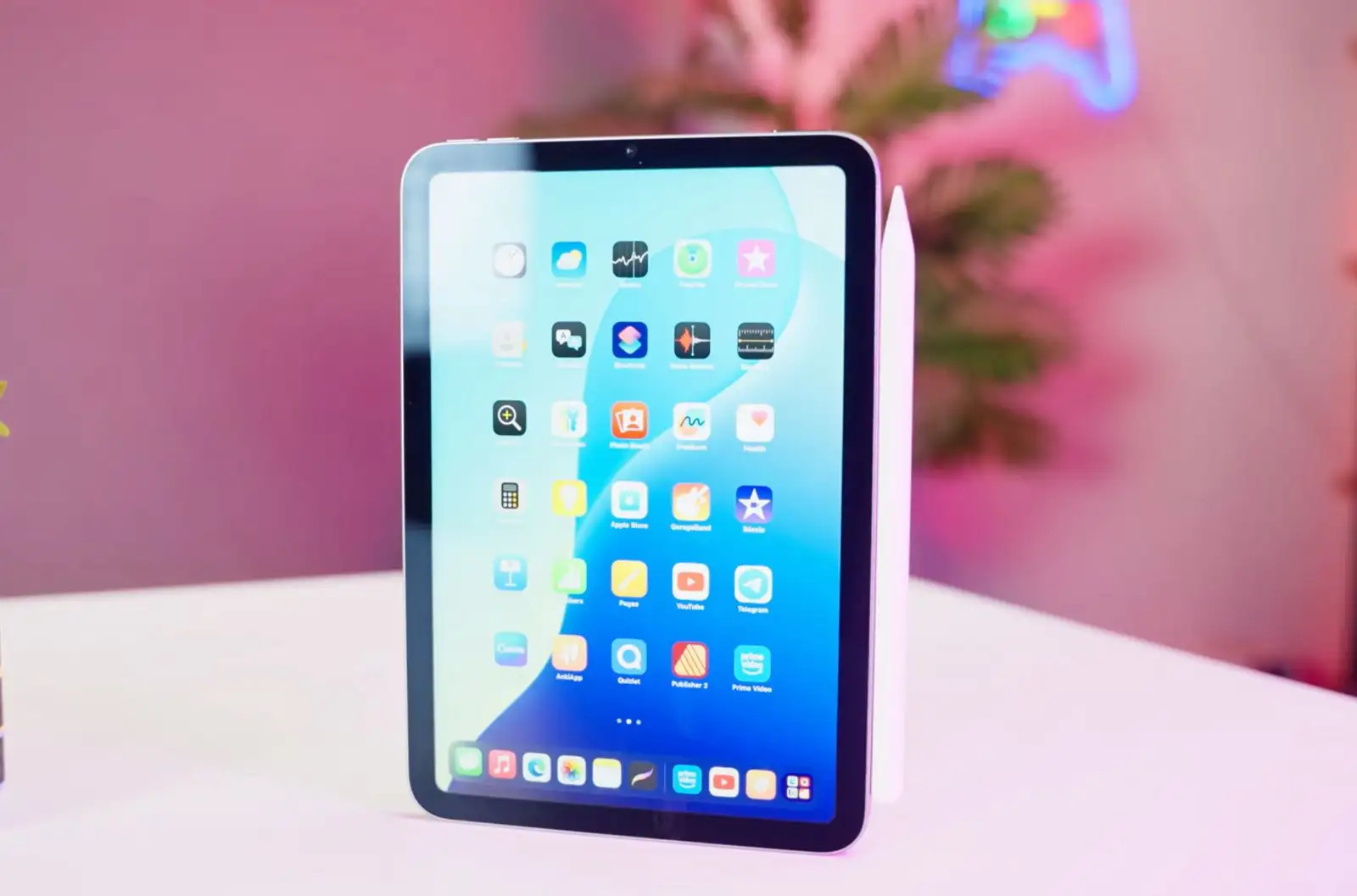
iPad mini (8.3″): The One-Handed Companion
Best For
- Reading
- Note-taking on the go
- Casual gaming
- Travel
Not Ideal For
- Split-screen multitasking
- Detailed drawing
- Extended typing
The iPad mini is the only iPad you can comfortably hold in one hand for long periods. At 293 grams, it’s lighter than most hardcover books, and it’s the only iPad that disappears into a jacket pocket. The 8.3-inch Liquid Retina display is sharp and vibrant, but the small screen means you’ll be scrolling more and pinching to zoom often.
For reading e-books, catching up on news, or jotting down quick notes with the Apple Pencil, it’s a joy. Try to run two apps side-by-side, though, and you’ll quickly feel cramped. If you plan to edit spreadsheets or draw seriously, look elsewhere.
The on-screen keyboard is also too small for touch typing, so you’ll want a Bluetooth keyboard for any serious writing.
If you’re a commuter who reads on the train or a student who wants a digital notebook that disappears into a small bag, the mini is your best friend. Pair it with a slim folio case that doubles as a stand for hands-free viewing.
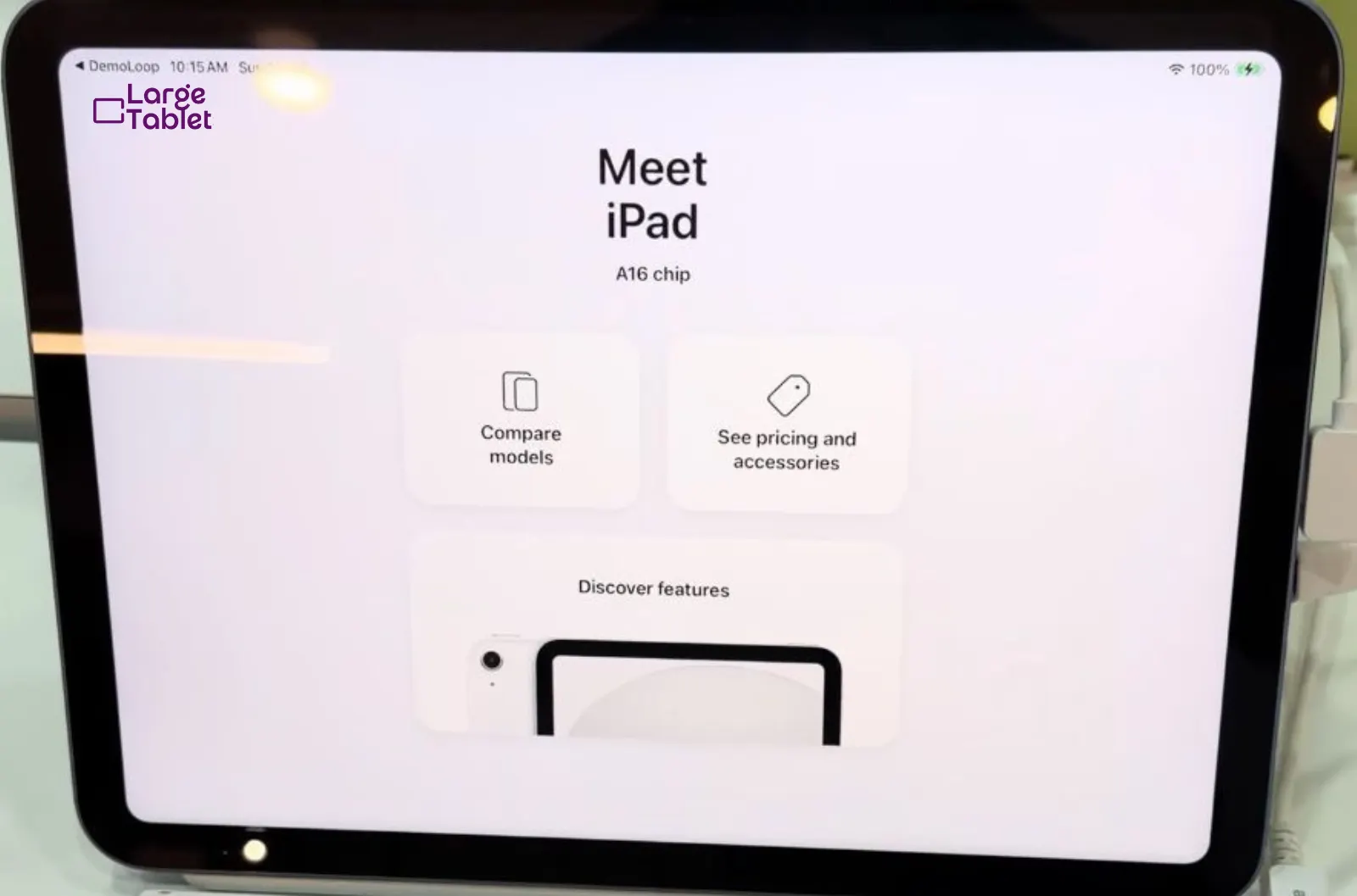
iPad (11″): The Everyday All-Rounder
Best For
- Students
- Families
- Casual users
- Anyone on a budget
Not Ideal For
- Professional creative work
- Heavy multitasking
- Users who want the latest display tech
The base iPad is the Goldilocks of the lineup. Its 11-inch screen provides enough real estate for comfortable web browsing, video streaming, and light productivity. At 477 grams, it’s still light enough to hold for a while, but you’ll likely prop it up on a table or your lap for longer sessions.
One quirk worth knowing: Apple markets this as an 11-inch iPad, but its own spec sheet puts the glass at 10.86 inches diagonally. It’s the same body as the iPad 10 before it, which means cases and keyboards cross over between the two generations.
The non-laminated display and lack of an anti-reflective coating are noticeable if you’ve used an Air or Pro, there’s a slight air gap between the glass and the screen, and it catches glare in bright rooms. At $349, it’s an incredible value, and the 60Hz panel is the only place you’ll really feel the price.
It runs all the same apps as the pricier models, supports the Apple Pencil (USB-C), and works with the Magic Keyboard Folio. The A16 chip handles everything a casual user throws at it.
This is the iPad to buy for a child’s first tablet, a kitchen recipe hub, or a secondary device for casual use. The 128GB base storage is generous for the price, but step up to 256GB if you download a lot of movies or games.
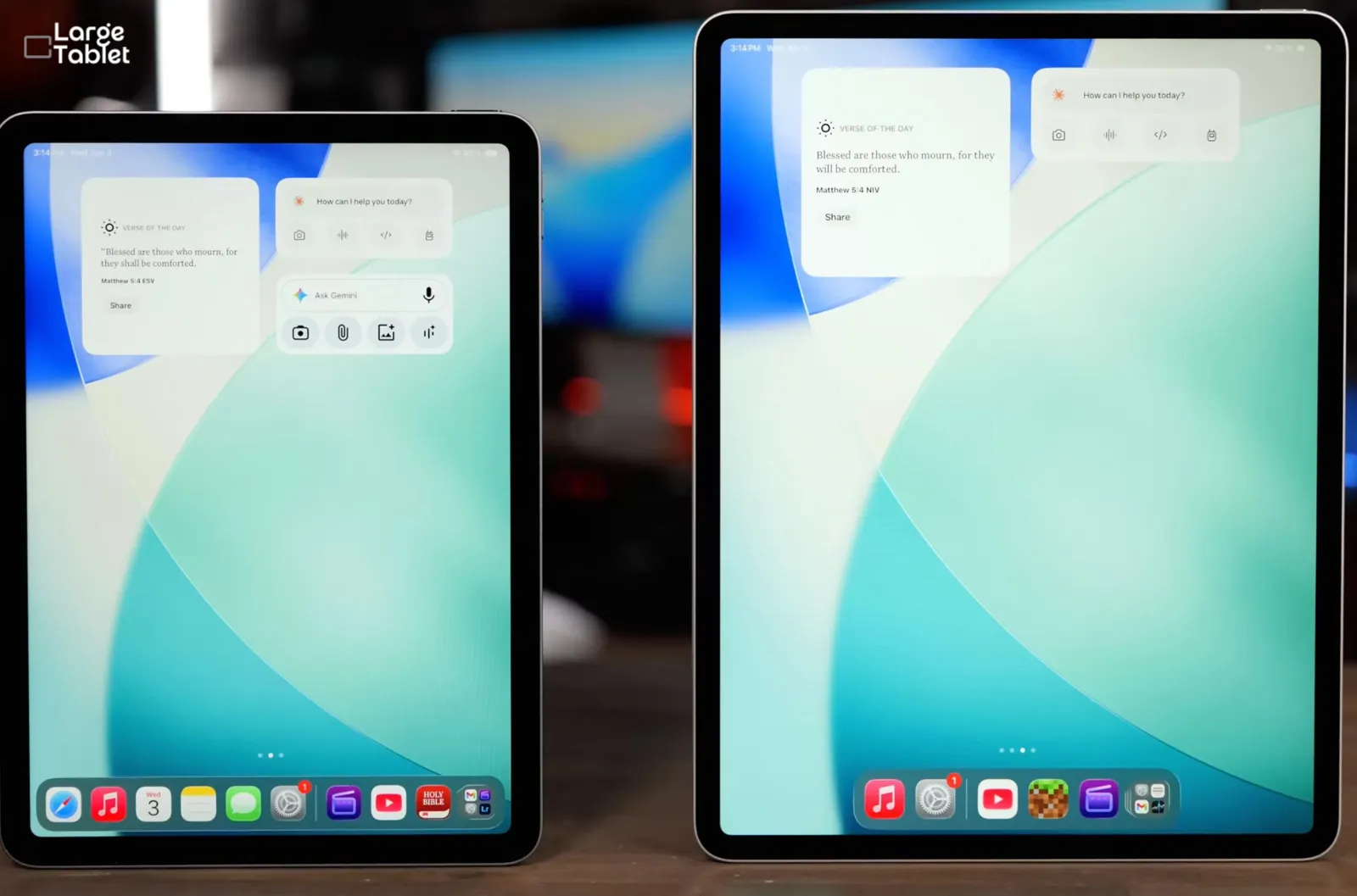
iPad Air 11″ & 13″: The Pro Experience for Less
Best For
- Students
- Artists
- Professionals who need power but not the Pro’s extreme display.
Not Ideal For
- Users who need the absolute best screen for HDR video editing or outdoor use.
The iPad Air lineup is where things get interesting. Both the 11-inch and 13-inch models now feature the M4 chip, the same processor found in the previous-generation iPad Pro. That means you get desktop-class performance for tasks like 3D modeling, video editing, and running demanding apps like Procreate with hundreds of layers. The 11-inch starts at $599, the 13-inch at $799.
The 11-inch Air is nearly identical in size and weight to the base iPad but with a fully laminated, anti-reflective display that feels much more premium.
The 13-inch Air is a beast for multitasking, you can comfortably run two full-size apps side-by-side, and the larger screen makes the Magic Keyboard feel like a true laptop replacement.
Here’s the size argument for the Air in one line: the 13-inch Air matches the 13-inch Pro to within a millimetre on height and width, and costs $700 less. You give up thinness, the OLED panel, and ProMotion. You do not give up screen area.
The 13-inch Air is the sleeper hit for writers and researchers. With Stage Manager and an external display, it can drive a dual-screen setup that rivals many laptops. But be warned: at 616 grams, it’s heavy for handheld reading.
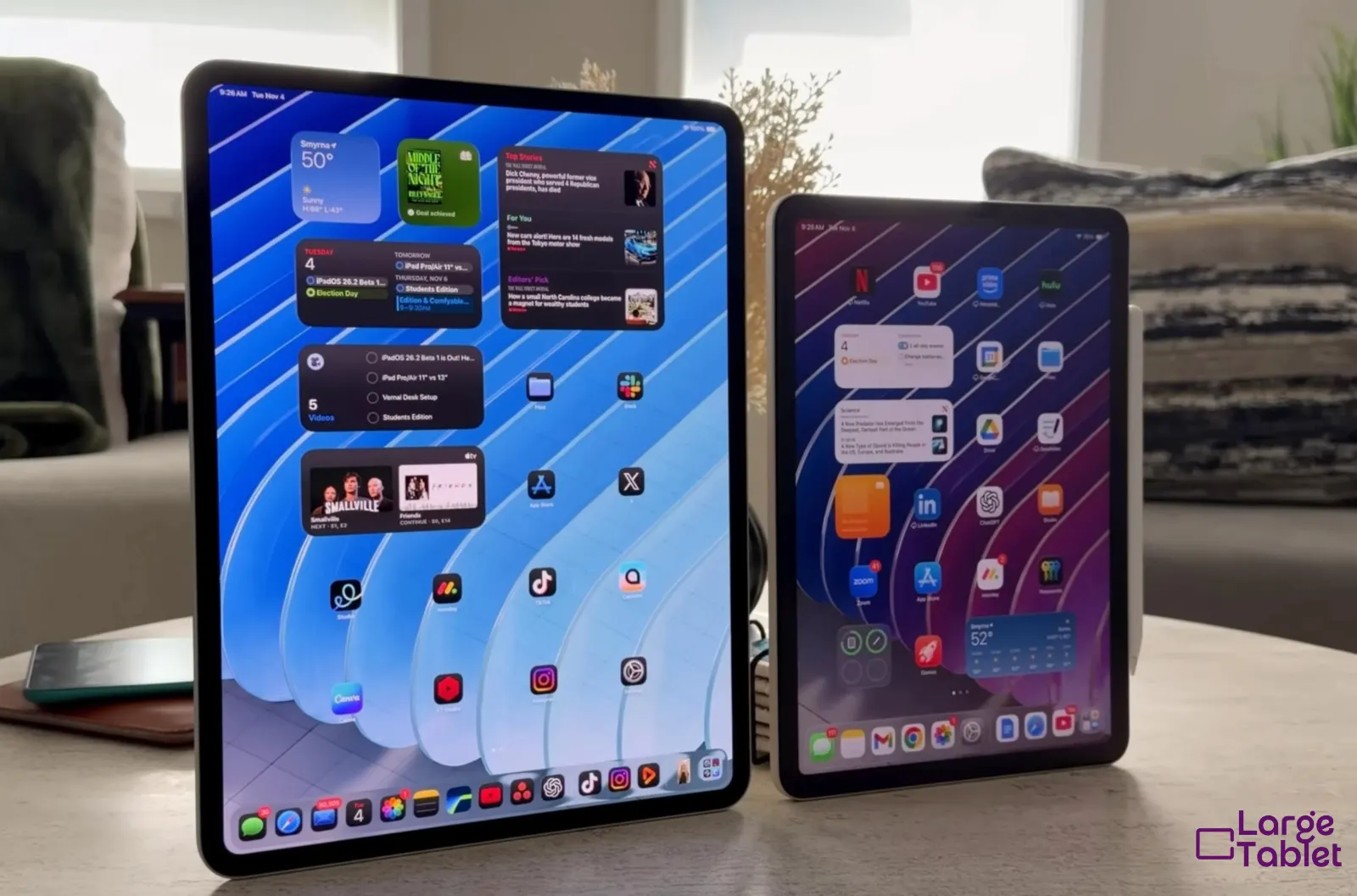
iPad Pro 11″ & 13″: The No-Compromise Powerhouse
Best For
- Professional artists
- Video editors
- 3D designers
- Anyone who demands the best display and performance.
Not Ideal For
- Budget-conscious buyers
- Casual users
- Anyone who won’t use the advanced display features.
The iPad Pro is Apple flexing its engineering muscles. The M5 chip is absurdly fast, but the real star is the Ultra Retina XDR display with Tandem OLED technology. Blacks are truly black, colors pop with incredible accuracy, and the 120Hz ProMotion refresh rate makes every animation buttery smooth.
For digital artists, the Apple Pencil Pro’s hover feature and low latency are transformative. For video editors, the reference mode ensures color-accurate grading on the go. The 11-inch Pro is the most portable powerhouse you can buy at 444 grams, while the 13-inch Pro is a legitimate laptop alternative for creative professionals. Pricing starts at $1,199 for the 11-inch and $1,499 for the 13-inch after Apple’s June 2026 increase.
The Pro’s display is so good that it can ruin other screens for you. If you work with HDR content or need precise color accuracy, the Pro is worth every penny. For everyone else, the Air will feel nearly identical in daily use.
The Magic Keyboard Factor: Weight and Bulk
Key Takeaways
- Adding a Magic Keyboard roughly doubles the weight of any iPad.
- The keyboard transforms the iPad into a laptop, but at a significant portability cost.
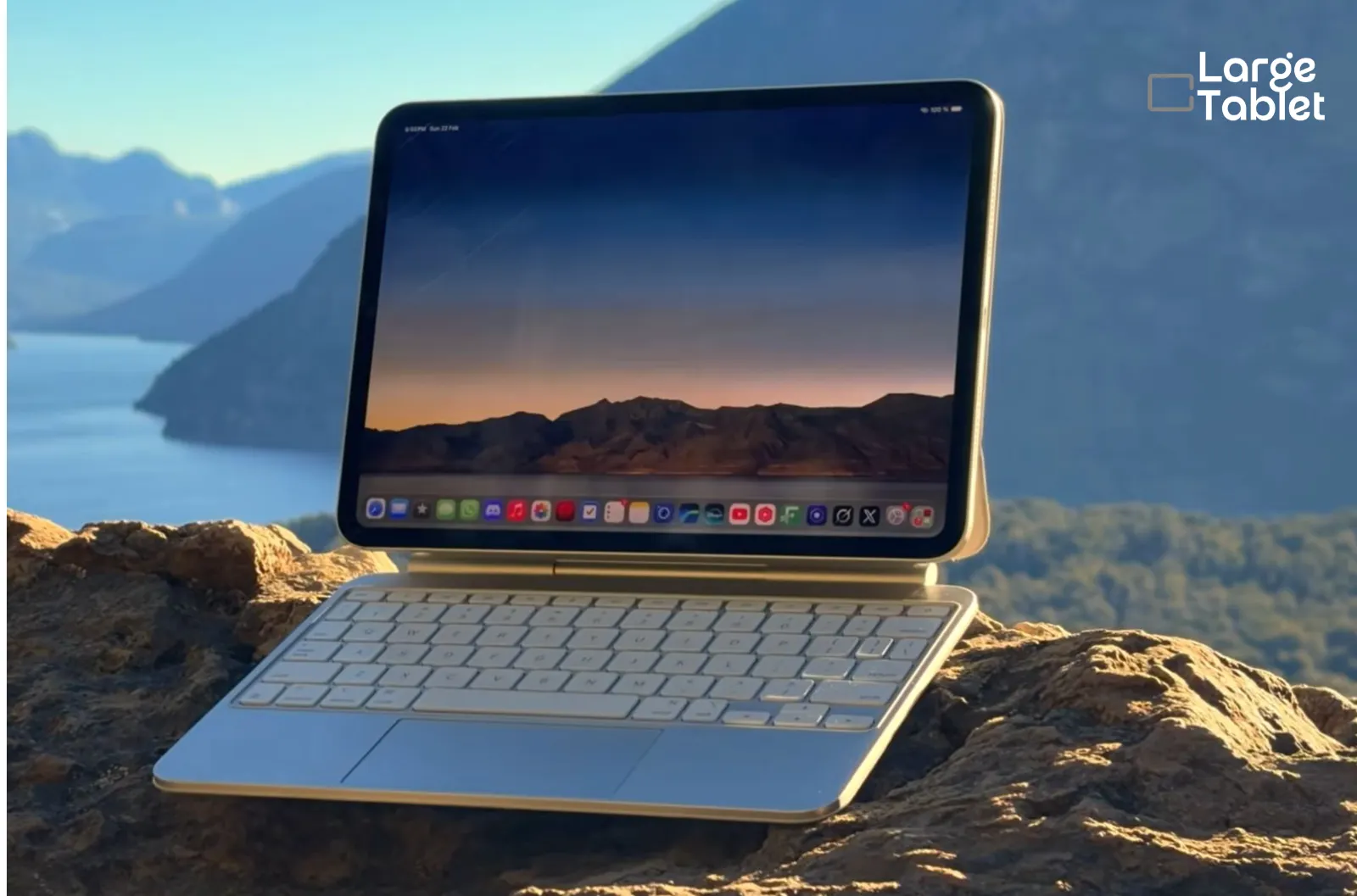
Here’s a reality check: the Magic Keyboard is heavy. The 13-inch version adds about 668 grams, turning your svelte 579-gram iPad Pro into a 1.25-kilogram package. That’s within a few grams of a 13-inch MacBook Air, which weighs 1.24 kilograms. Even the 11-inch keyboard adds substantial bulk.
Read that comparison again, because it reframes the whole “iPad as laptop replacement” question. Once you attach the keyboard, you are not carrying something lighter than a laptop. You’re carrying the same weight, in two pieces, with a smaller screen.
This isn’t a dealbreaker, but it’s a crucial consideration if you plan to carry your iPad in a bag every day.
The keyboard’s excellent typing experience and trackpad make it a must-have for writers, but you’ll likely remove the iPad for handheld reading or drawing.
Consider a lightweight folio case for handheld use and keep the Magic Keyboard at your desk. The iPad’s magnetic attachment makes switching cases effortless.
How Each Size Feels in the Hand
Numbers only tell half the story. Here’s what each size actually feels like once you live with it.
The mini is the only truly pocketable iPad. At 293g, it’s effortless to hold one-handed for hours. The base iPad and 11-inch Air give you nearly the same workspace as each other, so budget buyers sacrifice display quality and chip speed, not room to work.
The 11-inch size is the ergonomic Goldilocks: large enough for comfortable split-screen work, yet light enough at 444 grams for the Pro to hold for stretches without fatigue. It’s the size I recommend to almost everyone.
Think the 13-inch is just a bigger screen? I did too, until I tried holding the 616g Air for a full movie. Ten minutes in, my wrists ached, and I had to prop it on a pillow. That’s when I realized: this is a desk-first device. If you’ll use it with a keyboard or stand, the extra real estate is transformative for spreadsheets and creative work. But if you crave handheld comfort, stick with the 11-inch.
The 13-inch iPad is a desk-first device. Its 616g weight causes wrist strain after about ten minutes of handheld use, so choose it only if you’ll use it with a keyboard or stand.
There’s a simpler way to picture the footprints, too. Lay an 11-inch iPad Pro on a desk and it’s almost exactly a B5 notebook, 177.5mm by 249.7mm against B5’s 176 by 250. The 13-inch Pro lands close to A4: 215.5mm by 281.6mm against A4’s 210 by 297. Slightly wider, about 15mm shorter. If you’ve ever carried either size of notebook, you already know how each iPad will feel in your bag.
Which iPads Share a Body (And Swap Cases)
This is the table I wish someone had shown me before I bought a case that didn’t fit. Apple reuses chassis designs for years, so a “new” iPad often takes the same accessories as a model two or three generations old. Buying for an older iPad, or hunting a discounted case, this is the only chart that matters.
| Shared body (mm) | Models that fit the same case |
|---|---|
| 281.6 × 215.5 × 5.1 | iPad Pro 13″ M4 (2024), iPad Pro 13″ M5 (2025) |
| 280.6 × 214.9 × 6.1 | iPad Air 13″ M2 (2024), M3 (2025), M4 (2026) |
| 249.7 × 177.5 × 5.3 | iPad Pro 11″ M4 (2024), iPad Pro 11″ M5 (2025) |
| 247.6 × 178.5 × 6.1 | iPad Air 4 (2020), Air 5 (2022), Air 11″ M2/M3/M4 |
| 248.6 × 179.5 × 7.0 | iPad 10 (2022), iPad 11 / A16 (2025) |
| 250.6 × 174.1 × 7.5 | iPad 7 (2019), iPad 8 (2020), iPad 9 (2021) |
| 250.6 × 174.1 × 6.1 | iPad Pro 10.5″ (2017), iPad Air 3 (2019) |
| 195.4 × 134.8 × 6.3 | iPad mini 6 (2021), iPad mini A17 Pro (2024) |
| 240 × 169.5 × 7.5 | iPad 5 (2017), iPad 6 (2018) |
Two warnings before you buy on footprint alone. Camera bumps and Smart Connector positions change between generations even when the body doesn’t, so a case can fit and still block a lens. And the 13-inch Air and the old 12.9-inch Pro are within a third of a millimetre of each other on every axis, which fools a lot of listings but not a snug folio.
Match the millimetres, then check the camera cutout and the Smart Connector before you order. If you’re measuring your own iPad rather than trusting a spec sheet, I wrote a full guide to measuring a tablet properly.
Every iPad Size Ever Made
If you own an older iPad, are buying refurbished, or just want to see how Apple’s thinking has shifted, here’s the complete record by product line. Dimensions in millimetres, height × width × depth.
iPad (the standard line)
Eleven generations, from 9.7 inches up to today’s 11-inch panel.
| Model | Year | Screen | Dimensions (mm) | Weight | Runs current iPadOS? |
|---|---|---|---|---|---|
| iPad (A16) | 2025 | 11″ | 248.6 × 179.5 × 7.0 | 477 g | Yes |
| iPad 10 | 2022 | 10.9″ | 248.6 × 179.5 × 7.0 | 477 g | Yes |
| iPad 9 | 2021 | 10.2″ | 250.6 × 174.1 × 7.5 | 487 g | Yes |
| iPad 8 | 2020 | 10.2″ | 250.6 × 174.1 × 7.5 | 490 g | Yes |
| iPad 7 | 2019 | 10.2″ | 250.6 × 174.1 × 7.5 | 483 g | Yes |
| iPad 6 | 2018 | 9.7″ | 240 × 169.5 × 7.5 | 469 g | No |
| iPad 5 | 2017 | 9.7″ | 240 × 169.5 × 7.5 | 469 g | No |
| iPad 4 | 2012 | 9.7″ | 241.2 × 185.7 × 9.4 | 652 g | No |
| iPad 3 | 2012 | 9.7″ | 241.2 × 185.7 × 9.4 | 652 g | No |
| iPad 2 | 2011 | 9.7″ | 241.2 × 185.7 × 8.8 | 601 g | No |
| iPad (1st gen) | 2010 | 9.7″ | 242.8 × 189.7 × 13.4 | 680 g | No |
iPad Pro
The line that introduced both the biggest and the thinnest iPads.
| Model | Year | Screen | Dimensions (mm) | Weight | Runs current iPadOS? |
|---|---|---|---|---|---|
| iPad Pro 13″ (M5) | 2025 | 13″ | 281.6 × 215.5 × 5.1 | 579 g | Yes |
| iPad Pro 11″ (M5) | 2025 | 11″ | 249.7 × 177.5 × 5.3 | 444 g | Yes |
| iPad Pro 13″ (M4) | 2024 | 13″ | 281.6 × 215.5 × 5.1 | 579 g | Yes |
| iPad Pro 11″ (M4) | 2024 | 11″ | 249.7 × 177.5 × 5.3 | 444 g | Yes |
| iPad Pro 12.9″ (6th) | 2022 | 12.9″ | 280.6 × 214.9 × 6.4 | 682 g | Yes |
| iPad Pro 11″ (4th) | 2022 | 11″ | 247.6 × 178.5 × 5.9 | 466 g | Yes |
| iPad Pro 12.9″ (5th) | 2021 | 12.9″ | 280.6 × 214.9 × 6.4 | 682 g | Yes |
| iPad Pro 11″ (3rd) | 2021 | 11″ | 247.6 × 178.5 × 5.9 | 466 g | Yes |
| iPad Pro 12.9″ (4th) | 2020 | 12.9″ | 280.6 × 214.9 × 5.9 | 641 g | Yes |
| iPad Pro 11″ (2nd) | 2020 | 11″ | 247.6 × 178.5 × 5.9 | 471 g | Yes |
| iPad Pro 12.9″ (3rd) | 2018 | 12.9″ | 280.6 × 214.9 × 5.9 | 631 g | Yes |
| iPad Pro 11″ (1st) | 2018 | 11″ | 247.6 × 178.5 × 5.9 | 468 g | Yes |
| iPad Pro 12.9″ (2nd) | 2017 | 12.9″ | 305.7 × 220.6 × 6.9 | 677 g | No |
| iPad Pro 10.5″ | 2017 | 10.5″ | 250.6 × 174.1 × 6.1 | 469 g | No |
| iPad Pro 9.7″ | 2016 | 9.7″ | 240 × 169.5 × 6.1 | 437 g | No |
| iPad Pro 12.9″ (1st) | 2015 | 12.9″ | 305.7 × 220.6 × 6.9 | 713 g | No |
Note the first 12.9-inch Pro: 713 grams and 305.7mm tall. That is 134 grams heavier and 24mm taller than today’s 13-inch Pro, with a smaller screen. If you tried a big iPad in 2015 and hated it, the modern one is a genuinely different object.
iPad Air
The widest size range of any line, from 9.7 inches in 2013 to 13 inches today.
| Model | Year | Screen | Dimensions (mm) | Weight | Runs current iPadOS? |
|---|---|---|---|---|---|
| iPad Air 13″ (M4) | 2026 | 13″ | 280.6 × 214.9 × 6.1 | 616 g | Yes |
| iPad Air 11″ (M4) | 2026 | 11″ | 247.6 × 178.5 × 6.1 | 464 g | Yes |
| iPad Air 13″ (M3) | 2025 | 13″ | 280.6 × 214.9 × 6.1 | 616 g | Yes |
| iPad Air 11″ (M3) | 2025 | 11″ | 247.6 × 178.5 × 6.1 | 460 g | Yes |
| iPad Air 13″ (M2) | 2024 | 13″ | 280.6 × 214.9 × 6.1 | 617 g | Yes |
| iPad Air 11″ (M2) | 2024 | 11″ | 247.6 × 178.5 × 6.1 | 462 g | Yes |
| iPad Air 5 | 2022 | 10.9″ | 247.6 × 178.5 × 6.1 | 461 g | Yes |
| iPad Air 4 | 2020 | 10.9″ | 247.6 × 178.5 × 6.1 | 458 g | Yes |
| iPad Air 3 | 2019 | 10.5″ | 250.6 × 174.1 × 6.1 | 456 g | Yes |
| iPad Air 2 | 2014 | 9.7″ | 240 × 169.5 × 6.1 | 437 g | No |
| iPad Air (1st gen) | 2013 | 9.7″ | 240 × 169.5 × 7.5 | 469 g | No |
iPad mini
Seven generations, only two screen sizes.
| Model | Year | Screen | Dimensions (mm) | Weight | Runs current iPadOS? |
|---|---|---|---|---|---|
| iPad mini (A17 Pro) | 2024 | 8.3″ | 195.4 × 134.8 × 6.3 | 293 g | Yes |
| iPad mini 6 | 2021 | 8.3″ | 195.4 × 134.8 × 6.3 | 293 g | Yes |
| iPad mini 5 | 2019 | 7.9″ | 203.2 × 134.8 × 6.1 | 301 g | Yes |
| iPad mini 4 | 2015 | 7.9″ | 203.2 × 134.8 × 6.1 | 299 g | No |
| iPad mini 3 | 2014 | 7.9″ | 200 × 134.7 × 7.5 | 331 g | No |
| iPad mini 2 | 2013 | 7.9″ | 200 × 134.7 × 7.5 | 331 g | No |
| iPad mini (1st gen) | 2012 | 7.9″ | 200 × 134.7 × 7.2 | 308 g | No |
The mini is the one line where the numbers barely move. Apple went from 7.9 to 8.3 inches once, in 2021, and has left it alone since. If you liked a mini in 2013, you’ll like the current one.
Still torn? Let’s match screen sizes to the tasks you’ll actually do every day.
Reading & Ebooks
The iPad mini’s 293g weight is lighter than most hardcover books, making it the undisputed champion for reading. The compact screen feels like a paperback in one hand, and you can hold it for hours without fatigue. The 11-inch is acceptable for casual reading. The 13-inch is a non-starter. Its size and weight make it awkward to hold upright for long sessions.
The iPad mini’s 293g weight is lighter than most hardcover books, making it the ultimate e-reader for one-handed use.
Note-Taking & Handwriting
The 11-inch hits the sweet spot for students. It fits on a lecture hall desk, pairs naturally with the Apple Pencil, and offers enough real estate to jot notes without constant scrolling. The base iPad’s non-laminated display introduces a tiny air gap that can feel slightly disconnected when writing: a subtle but real trade-off. The 13-inch gives you a full-page canvas, but it’s overkill for most note-takers and less portable.
The 11-inch Air with Apple Pencil fits on a lecture hall desk and in a backpack without adding bulk.
Drawing & Digital Art
For studio work, the 13-inch Pro is the ultimate canvas. Its expansive screen lets you see your full composition and tool palettes simultaneously, and in my own testing the extra space cut down how often I had to zoom and pan, which is what preserves creative flow. The specs back up why: Apple’s Ultra Retina XDR panel on the Pro delivers full P3 wide colour and 120Hz ProMotion, so Apple Pencil strokes land under the tip with no perceptible lag. The 11-inch, however, is the go-to for plein air sketching: its lighter weight makes it easy to hold in one hand while you draw with the other.
The 13-inch Pro is the go-to for studio work, while the 11-inch is favored for plein air sketching due to its lighter weight.
Multitasking & Productivity
Split-screen and Stage Manager demand screen space. The 13-inch’s extra area means two full-size apps sit side by side without feeling cramped: you can reference a document while writing an email without squinting. The 11-inch can handle light multitasking, but you’ll find yourself resizing windows more often. The 13-inch is the only size that makes split-screen genuinely usable for sustained work.
If you regularly use two apps side by side, the 13-inch’s extra screen area means you won’t have to squint.
Media Consumption & Movies
The 13-inch Pro’s Tandem OLED display transforms movie nights. HDR content pops with deeper blacks and brighter highlights, making it a portable cinema. Just know that widescreen films leave black bars, so the effective image area is smaller than the diagonal suggests. The 11-inch is more comfortable for handheld viewing, but it can’t match the 13-inch’s cinematic immersion.
The 13-inch iPad Pro’s Tandem OLED display makes a noticeable difference for HDR movies: blacks are deeper, highlights pop.
Gaming
Handheld gaming favors the 11-inch and mini. Their lighter builds let you play for longer without arm strain, and the 11-inch’s screen is large enough for most titles. The 13-inch shines when you pair it with a controller and a stand: it becomes a portable console, perfect for Apple Arcade games that support gamepads. But holding it up for touch-based games is a workout.
For Apple Arcade titles that support controllers, the 13-inch paired with a stand is like a portable console.
But size isn’t just about tasks. It’s about how the iPad feels in your bag, on your lap, and in your hand.
Portability and Weight Comparison
A spec sheet won’t tell you how your wrist feels after 30 minutes of reading in bed. Let’s fix that.
Weight and One-Handed Use
The iPad mini (293g) is lighter than most hardcover books. You can hold it indefinitely without fatigue. The 13-inch models (579–616g) cross a threshold: one-handed use becomes a workout after just a few minutes. I expected the 13-inch iPad Pro to feel substantial but manageable, yet after ten minutes of one-handed reading, the 579g weight felt like a brick. My wrist ached, and I had to switch to two hands, a stark contrast to the featherlight 293g iPad mini, which I can hold indefinitely without a second thought.
The 11-inch iPads (444–477g) hit a sweet spot for short bursts, but your wrist will still tire after about 20 minutes.
Screen area, not diagonal inches, dictates real-world portability. Work it out from the panel dimensions and the 13-inch iPad Pro has about 41% more glass than the 11-inch, which is why the weight climbs the way it does.
Fitting in Bags and Daily Carry
The mini slips into a jacket pocket or a small crossbody bag. The 11-inch fits most everyday backpacks and totes without dominating the space. The 13-inch demands a dedicated laptop sleeve or a larger bag; it’s the size of a thin notebook, not a tablet you toss in casually.
Travel and Commuting
Frequent flyers, take note: the 11-inch is the largest iPad you can use comfortably in economy when the seat in front reclines. The mini disappears into a seat-back pocket, leaving room for a water bottle and snacks. The 13-inch? It barely fits on a tray table and becomes a liability in tight spaces.
For economy flyers, the 11-inch is the largest iPad that remains usable when the seat in front reclines.
Using in Bed or on the Couch
The 13-inch iPad is a face-drop hazard. Hold it above you while lying down, and a slip means a painful thud. The mini, at 293g, is the only iPad you’ll actually reach for over your phone for bedtime reading. The 11-inch works, but after a chapter, you’ll start shifting hands.
For bedtime reading, the mini’s 293g weight is the only one light enough to make you choose it over your phone.
But there’s a hidden cost to screen size that no spec sheet mentions: your posture and your eyes.
Posture, Neck Strain, and Eye Comfort
Here’s the part nobody puts on a comparison chart. The size you pick decides where your head sits for the next three years.
Flat on a table, every iPad becomes a neck problem. You look down, your chin drops toward your chest, and the weight of your head, roughly five kilos, shifts forward off your spine. Ten minutes is fine. Two hours is a headache and a sore trapezius. The bigger the screen, the longer you’ll sit there, which is why the 13-inch quietly does more damage than the mini: not because it’s worse for your neck, but because it’s better at holding your attention.
The fix costs less than a case. Raise the screen until the top edge is level with your eyes, and use an external keyboard so your hands aren’t stuck to the screen. Any stand does it. On a plane, a rolled jumper under the iPad works.
Eye strain runs the opposite way. Small screens make you squint and hold the device closer, and close focus is what tires your eyes. If you already reduce text size to fit more on screen, that’s a signal you’ve bought too small a screen, not that you need better glasses. A 13-inch at arm’s length is easier on your eyes than an 8.3-inch at 30 centimetres, even though the mini is easier on your wrists.
That’s the real trade-off, and it’s why I keep saying to match the size to your body. The mini spares your wrists and taxes your eyes. The 13-inch spares your eyes and taxes your wrists and neck. The 11-inch is the least-bad compromise for most people, which is a duller answer than “best,” but a more honest one.
If you take one thing from this guide, make it this: pair whichever iPad you buy with a stand and an external keyboard for any session longer than 30 minutes. It costs about $40 and it does more for your comfort than moving up a screen size.
Answer these three questions:
- Do you primarily use your iPad on a desk or in your lap?
- Desk → 13-inch.
- Lap or handheld → 11-inch.
- Is your work split-screen heavy (two apps side by side)?
- Yes → 13-inch.
- No → 11-inch.
- Do you carry your iPad in a bag daily?
- Yes → 11-inch.
- No → 13-inch.
If you answered 13-inch twice, the larger iPad is your match. If 11-inch won, the smaller one will feel more natural. Tied? Go with the 11-inch for portability. You can always add an external monitor later.
Before you buy, here are the questions everyone asks.
Frequently Asked Questions
What is the biggest iPad?
The 13-inch iPad Pro, at 281.6 × 215.5mm. The largest iPad Apple ever made was physically bigger, though: the original 12.9-inch iPad Pro from 2015 measured 305.7 × 220.6mm and weighed 713 grams.
What is the smallest iPad?
The iPad mini, at 195.4 × 134.8mm and 293 grams. The 7.9-inch minis from 2012 to 2019 had smaller screens but taller bodies.
Which iPad size is best for reading?
The mini. One-handed reading for hours without fatigue.
Can the 13-inch iPad replace a laptop?
Mostly, with a Magic Keyboard. But it won’t replace every desktop app, and once the keyboard is attached you’re carrying the same weight as a MacBook Air.
Is the iPad mini too small for note-taking?
For quick notes, no, it’s excellent. For long writing sessions, yes, it feels cramped.
Does the 11-inch iPad feel cramped for multitasking?
With two apps side by side, yes. Go 13-inch for breathing room.
Which size is best for travel?
The mini. It slips into any bag and is a joy on a plane.
Will a case from my old iPad fit a new one?
Sometimes. Apple reuses chassis designs for years, so several generations share exact dimensions. Check the shared-body table above, then confirm the camera cutout and Smart Connector position before ordering.

Dan has personally tested more than 50 large tablets since 2021, living with each one as his only computer for at least two weeks before writing a word.
Dan Mercer
Founder & Lead Reviewer, Large-Tablet.com
Experience
I review large tablets — 12 inches and up — and I try to answer one honest question: is this really worth your $1,000-plus? Since 2021 I’ve tested more than 50 tablets from Apple, Samsung, Lenovo, Microsoft, OnePlus, Xiaomi and others. Between 2021 and 2023 I worked as an independent mobile device consultant, repairing and configuring Android and Apple hardware for hundreds of people.